Learn how to let an agent build your dream app whilst you sleep
Opus 4.5 run with my vision of a better Pokemon vault website and I just sit there and watched it do it end-to-end.
I hope you like the title of this one, very proud of it. (No LLMs were used in the making of the title).
Everyone was talking about Ralph a few weeks ago (this one has been in the vault for a bit!). I'm not much of a Simpson guy so I didn't fully get the reference - but anyway. I wanted to get my hands dirty to understand what all the fuss is about.
Here are 3 resources that will get you up-to-speed on the topic:
- Simple walkthrough of what Ralph Wiggum loop is
- Video from the creator of the method on how to use it
- Text breakdown by Ryan
TL;DR:
Provided you have plan with a list of tasks in IMPLEMENTATION-PLAN.md, here's the loop:
- Agent picks up a TODO task
- Agent executes it
- Agent updates PROGRESS.md to add that such a task is DONE
- Agent logs decisions it made in a LOGS.md
- Agent updates IMPLEMENTATION-PLAN.md in case it needs to add another sub-task
And then it stops, and kicks the loop again.
The benefit is that it starts from a clear context window from scratch, so there's nothing polluting it essentially.
Building an app with a couple hours of "work"
But as you know, talk is cheap. I like to learn in the trenches. So I put this to test.
I was checking Pokemon card websites and they were either:
- Filled with ads
- Slow
- Confusing
- Lacking features
Most of the time, multiple of these.
Sooooo, I detailed a plan of my vision for a simple Pokemon website and let the agent code it overnight.
AND HOLYSHIT.
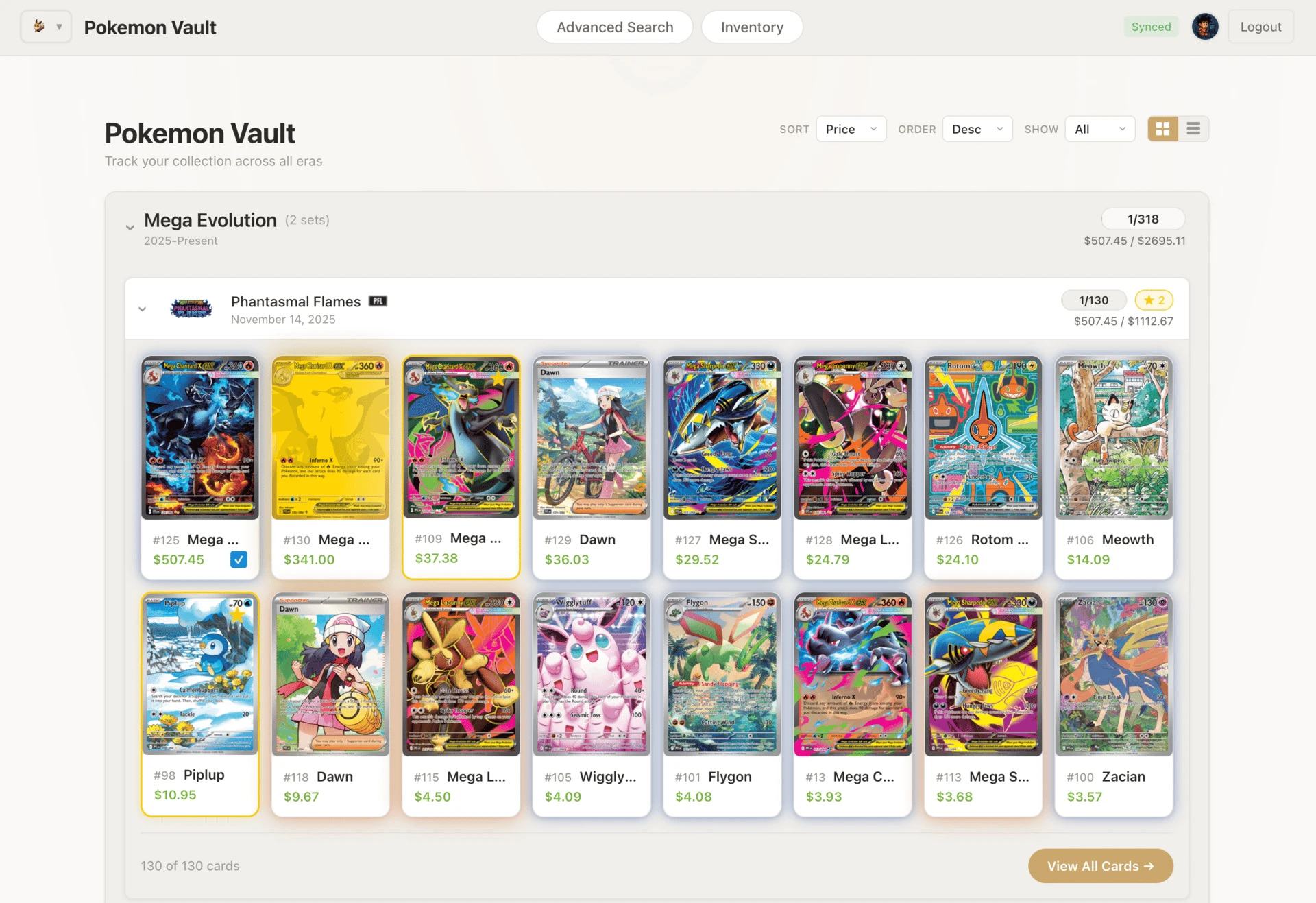
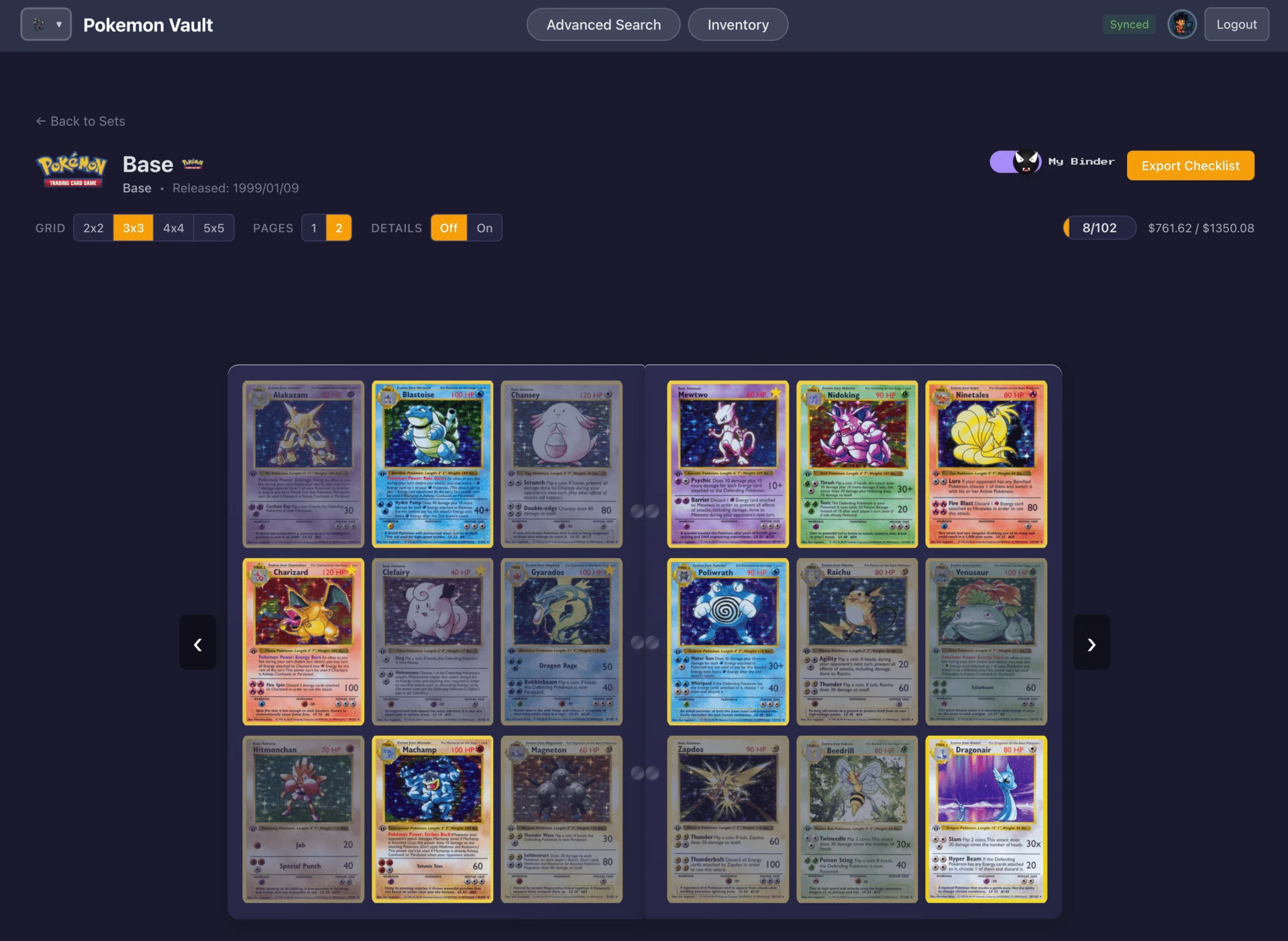
This is a side-project that previously I wouldn't have started because it would just consume too much time that I don't have. But now, not anymore when I can delegate SO MUCH.
Here's what this application did:
- Browse and search Pokemon cards across sets
- Track which cards I own in my collection
- Mark the cards I'm chasing to complete sets
- Login credentials
- Share my collections
Exactly what I needed.
The Setup
I'm not going to talk about my Ralph setup, I think the jury is still out on that one in terms of best way to use that framework. Maybe it's literally just a bash file? Maybe there's a UI component to it for non-technical folks? I don't know.
Personally, I think labs will just have their base coding agents do it BTS.
Anyway, I'm gonna talk about a few concepts that are critical to achieve this level of automation:
1. Skip the permissions dance
I ran Claude Code with --dangerously-skip-permissions. Yes, the flag sounds scary. That's the point - it's opt-in friction. But when you know what you're building and you trust your environment, removing the constant "approve this file change?" interruptions lets the agent stay in flow.
2. Give it eyes
I enabled browser access with /chrome. This let Claude actually see what it was building, navigate the UI, spot visual bugs, and iterate on the design. It's one thing to write code. It's another to see the output and adjust. The browser made Claude a full-stack builder. This tight feedback loop is critical.
3. Plan extensively upfront
Before writing a single line of code, I use plan mode SHIFT + TAB in CC. I described the entire vision: the features, the user flows, the data model, how authentication should work, where data should live. Claude built a comprehensive plan, and I refined it. We went back and forth on edge cases and UX decisions before any implementation started.
This is the part that felt most like my actual job. Scoping. Clarifying. Making sure the spec is tight before engineering begins.
4. Speak instead of typing
If you prefer to speak because otherwise you would be typing a lot in this initial section you can use something like Wispr Flow to communicate with the terminal. This can be done by just pressing a button and off you go.
5. Let it run
Then I used the Ralph Wiggum loop. You tell Claude to keep going, keep iterating, keep improving - and you walk away. Like literally. Go sleep or do something else. You can ask for it to commit every time it does a new iteration and once you come back you can see all the work that it did on its own.
6. Spin multiple agents in parallel
If you are in the laptop you can actually spin up an agent in parallel to do the work in a different area of the code. Because they are pushing to the same branch, and models are trained with a ton of data from GitHub they will be familiar with git versioning and you won't have to worry about git conflicts. It's like having an engineer working on the frontend, another one on the backend, another on the auth, etc…
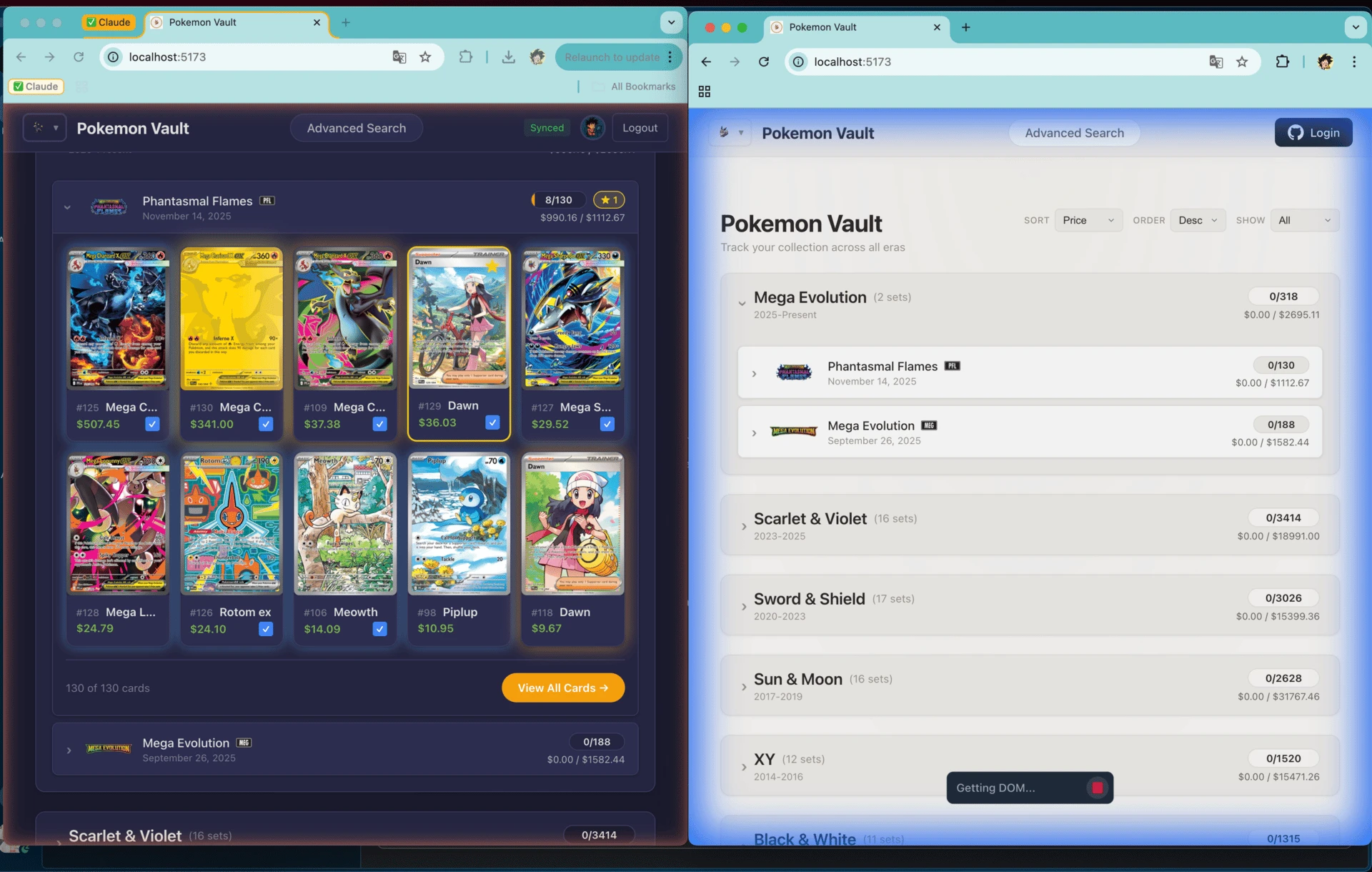
You can even use other models to do this - on the image below I'm using Claude on the left and Gemini (via Antigravity) on the right. Both controlling the browser.
The PM as Wizard
Being a PM has always been about translating vision into actionable instructions for engineers. Clear requirements. Well-scoped tickets. Defined acceptance criteria.
That skill set just became a superpower.
Because now you're not waiting for sprint capacity. You're not negotiating priorities with three other teams. You're not blocked on that senior engineer who's on vacation. You write the spec, you give it to the agent, and it executes.
The bottleneck was never the PM's ability to envision. It was the translation layer - getting other humans to build what's in your head, with all the communication overhead, context loss, and calendar conflicts that entails.
That layer is collapsing.
It's never been a better time to be a PM
Or maybe more accurately: it's never been a better time to be someone who knows how to communicate clearly.
The technical bar for shipping software just dropped through the floor. But the vision bar? The clarity bar? That's higher than ever. Because if you can articulate exactly what you want - really specify it, with the edge cases and the user flows and the "what happens when" - you can build it.
The people who will thrive are the clearest thinkers and communicators.
I didn't have in my bingo card that developers might be deprecated sooner than PMs, but here we are.
ALSO
I'm not saying engineering is dead. Complex systems, novel architectures, performance optimization at scale - there's deep craft there that isn't going anywhere, for now.
But a lot of software isn't that. A lot of software is "I need a thing that does X, Y, and Z, and looks decent, and works."
If you're a PM reading this: start building. Not because you need to learn to code, but because you already know to talk to people (agents) who know how to.
Now you have an agent that can execute your specs in hours and that doesn't get tired, distracted, etc.
The power shifted.
Use it.