15 reasons why Streamlit doesn't work for production
I love Streamlit as much as the next guy - but not for prod.
A few days ago Willem Reerink at Snowflake published a walkthrough of an entity resolution pipeline built on Snowflake's new CORTEX_SEARCH_BATCH function. It ships with a Streamlit dashboard on top.
I forked the repo, kept the backend as is, and rebuilt the dashboard in OpenBB Workspace.
Same data, same Snowflake backend, but a much better UI/UX.
If you prefer a video walkthrough of how OpenBB compared with Streamlit, then check this out:
The pipeline takes raw alt data signals from different vendors (Second Measure credit card panels, Placer.ai foot traffic, Bloomberg Terminal pricing, YipitData receipts, and so on) and classifies each one into a 60-node GICS-aligned product taxonomy using Snowflake's Arctic embedding model.
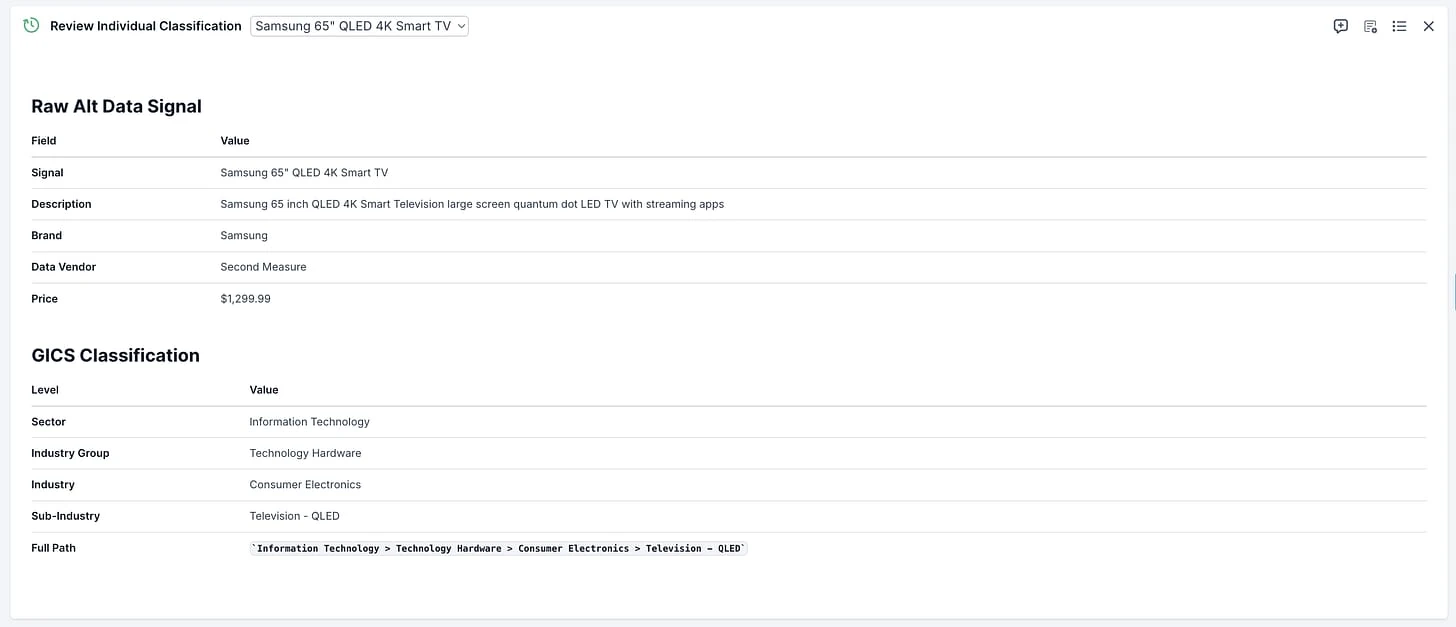
- "Samsung 65 inch QLED 4K Smart Television quantum dot LED" lands in Information Technology > Technology Hardware > Consumer Electronics > Television - QLED.
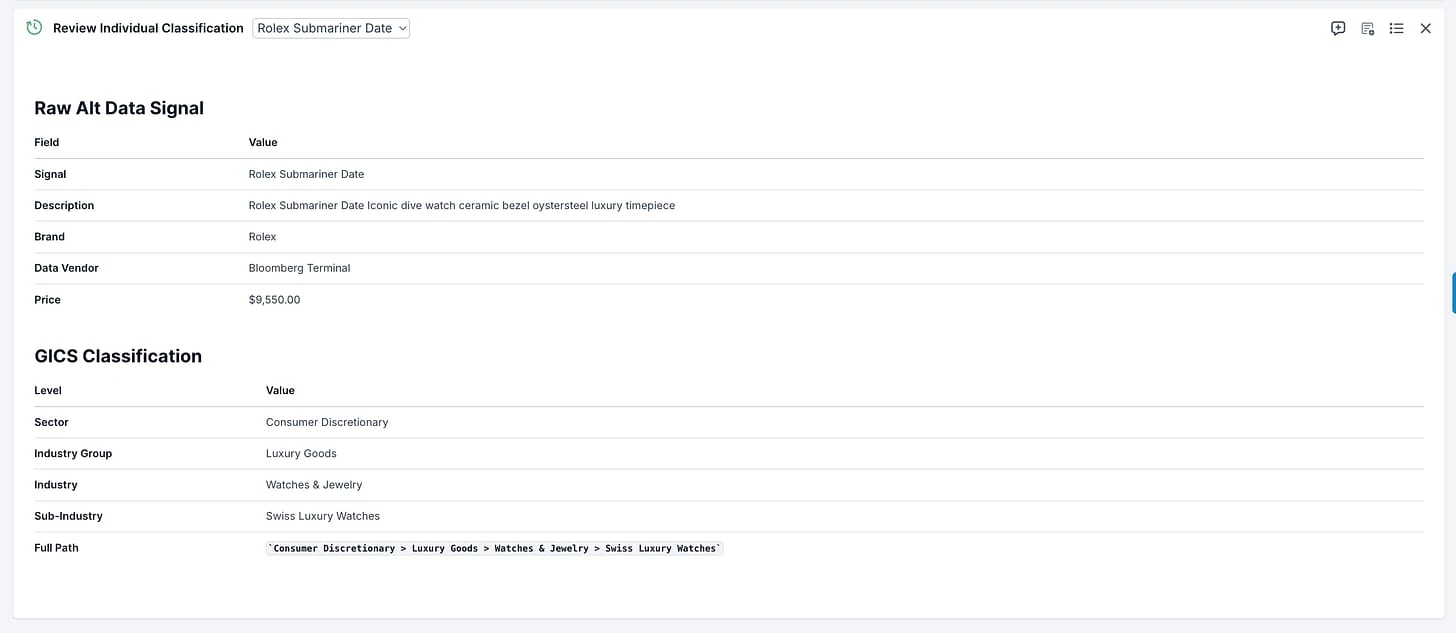
- "Rolex Submariner Date luxury Swiss automatic dive watch" lands in Consumer Discretionary > Luxury Goods > Watches. All 138 signals get classified in about five seconds.
The dashboard sits on top of that output.
A quant analyst uses it to answer questions like: where is wallet share rotating across GICS sectors, which brands show multi-sector momentum (Samsung appears in both IT and Consumer Discretionary), which vendors have the broadest coverage, and how does ticket size vary across sub-industries.
Four tabs: classify signals, browse taxonomy, view raw signals, analyze sector exposure.
That's the shared starting point. What follows is what changed when the frontend moved from Streamlit to OpenBB Workspace.
To be honest, this was mostly done via this OpenBB skill I built to build apps. So it only took a few minutes to get it done.
But the focus of this post is about the gains of converting it into an OpenBB app.
1. Independent widget refresh vs full-page re-runs
Streamlit's execution part is the one that can be most frustrating. Every interaction re-runs the entire script top to bottom. Change a filter, every chart recomputes. Click a button, the whole state rebuilds.
We've all seen these guys:


You end up having to write extra defensive code to avoid it - e.g. caching every query so an unrelated widget doesn't re-fetch a million rows from Snowflake because you touched a dropdown.
OpenBB widgets are independent endpoints. Change a parameter on one widget and only that widget refreshes, plus anything in its parameter group.
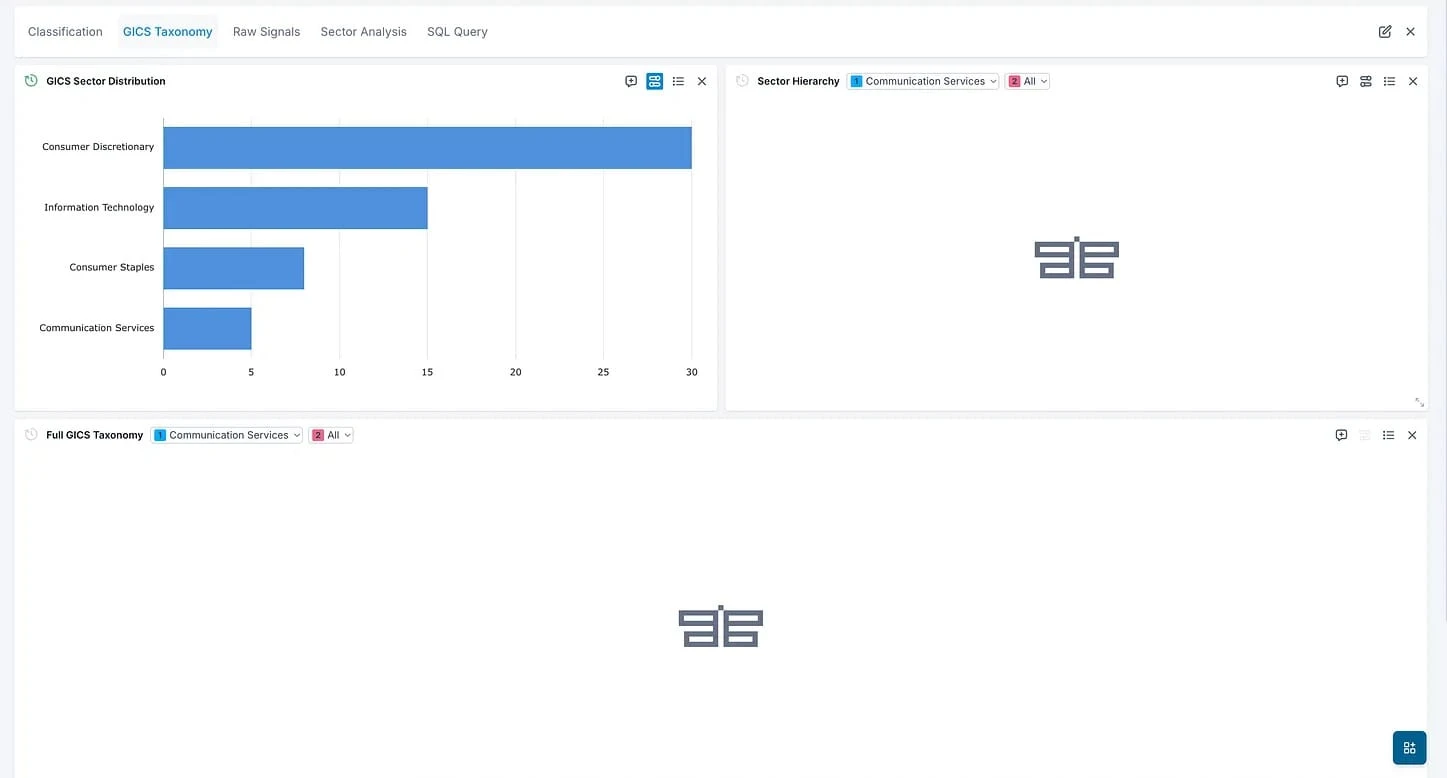
E.g. changing the Sector Hierarchy sector parameter to "Communication Services" updates only the Sector Hierarchy widget. And Full GICS Taxonomy is triggered too because it has the same parameter that is grouped together (and others grouped together will also refresh!).
But note that GICS Sector Distribution remains the same.
Ultimately the biggest difference is thinking in pages vs widgets. Streamlit thinks in pages rendered top to bottom. OpenBB thinks in widgets that are independently addressable. Same widget on multiple tabs? Reference its ID, done.
2. API-first architecture
Whenever we have demos with clients that are technical the thing that I keep repeating is that OpenBB widgets are essentially an abstraction layer above an API call. This is literally how we define our widgets specs.
Look at how I like to define my widgets.json spec, right next to the API endpoint.
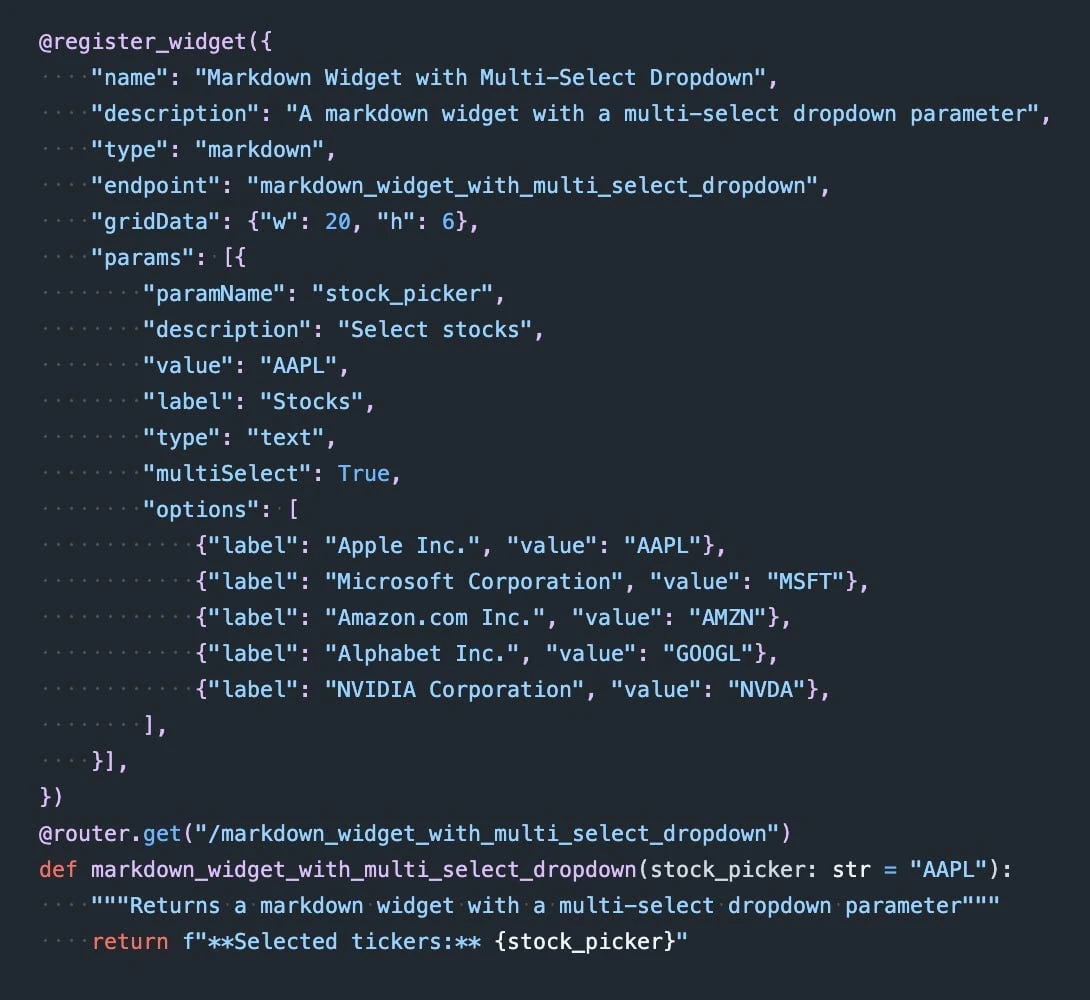
I like to do this because I like how in JS you have the business logic and then you return the UI part. I think it keeps it clean.
Not only that, but this means that if you are utilizing this data somewhere else - e.g. in another application or wrapping it around an MCP or something different. Your infrastructure is robust and modular. It means you are not attaching business logic to the way you render data on screen - which I think is something that holds SO MANY companies back.
At some point that technical debt needs to be solved so you can scale.
When you build with Streamlit, you aren't really incentivized to do that. So you end up baking the business logic into the UI - which imo is really bad.
3. Configurable refresh modes
How does the independent widget logic work on OpenBB in terms of data updates?
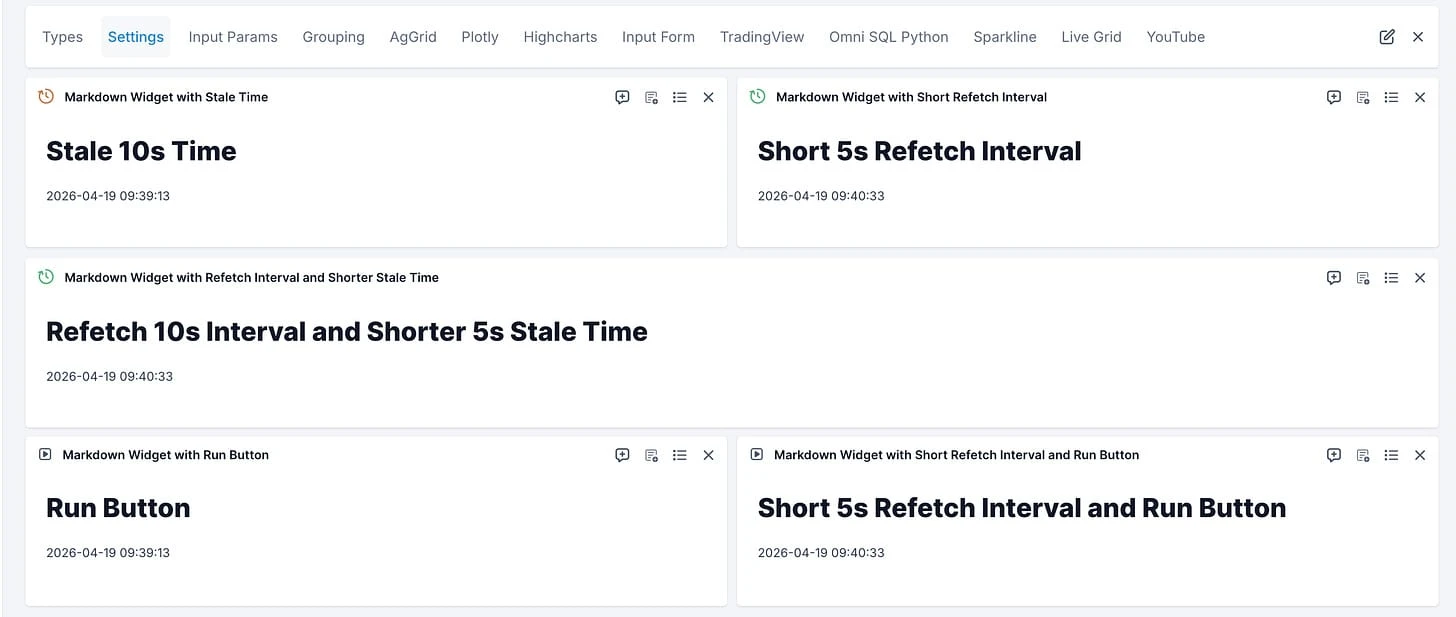
Easy. The user has control over that configuration. Here's a simple markdown widget with different configs.
- Widget gets "stale" after 10s and nothing happens (the indicator becomes orange to denote that)
- Widget refetches data every 5s (doesn't get stale)
- Widget refetches ever 10s but data gets stale after 5s - basically indicator is 5s green and 5s orange
- Run button so user can trigger the refetch of data when they want
- Run button and refetch interval simultaneously
On top of that you can also use websockets to stream data - more on that here.
Streamlit has one mode: re-run the script on interaction, cache aggressively, and hope the caching is set up right. There's no native "this widget ticks on a timer" or "this widget waits for explicit input".
You have to build those behaviors yourself with reruns, timers, and manual state tracking. And that means other developers who are building Streamlit apps will likely not have access to that same logic and you are continuously reinventing the wheel.
4. Declarative parameter groups
In Streamlit, filters live in a sidebar, the script re-runs on every change, and you wire up which components react to which filter by hand.
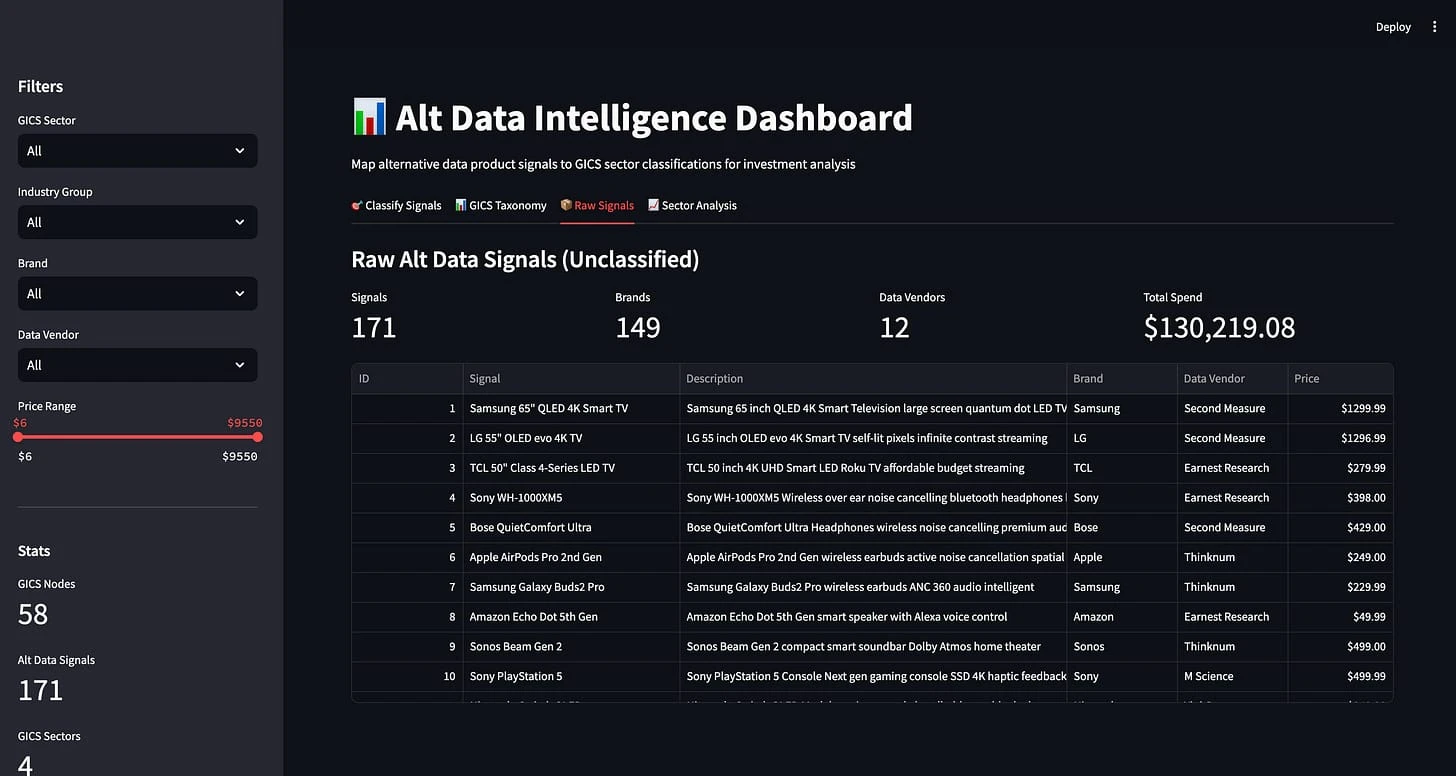
How am I supposed to know what filters update the data I'm seeing?
In OpenBB, parameter groups are declarative. E.g. Group 3 is the brands filter and these two widgets share it. Change the brand dropdown on any of these 2 widgets and every grouped widget updates.
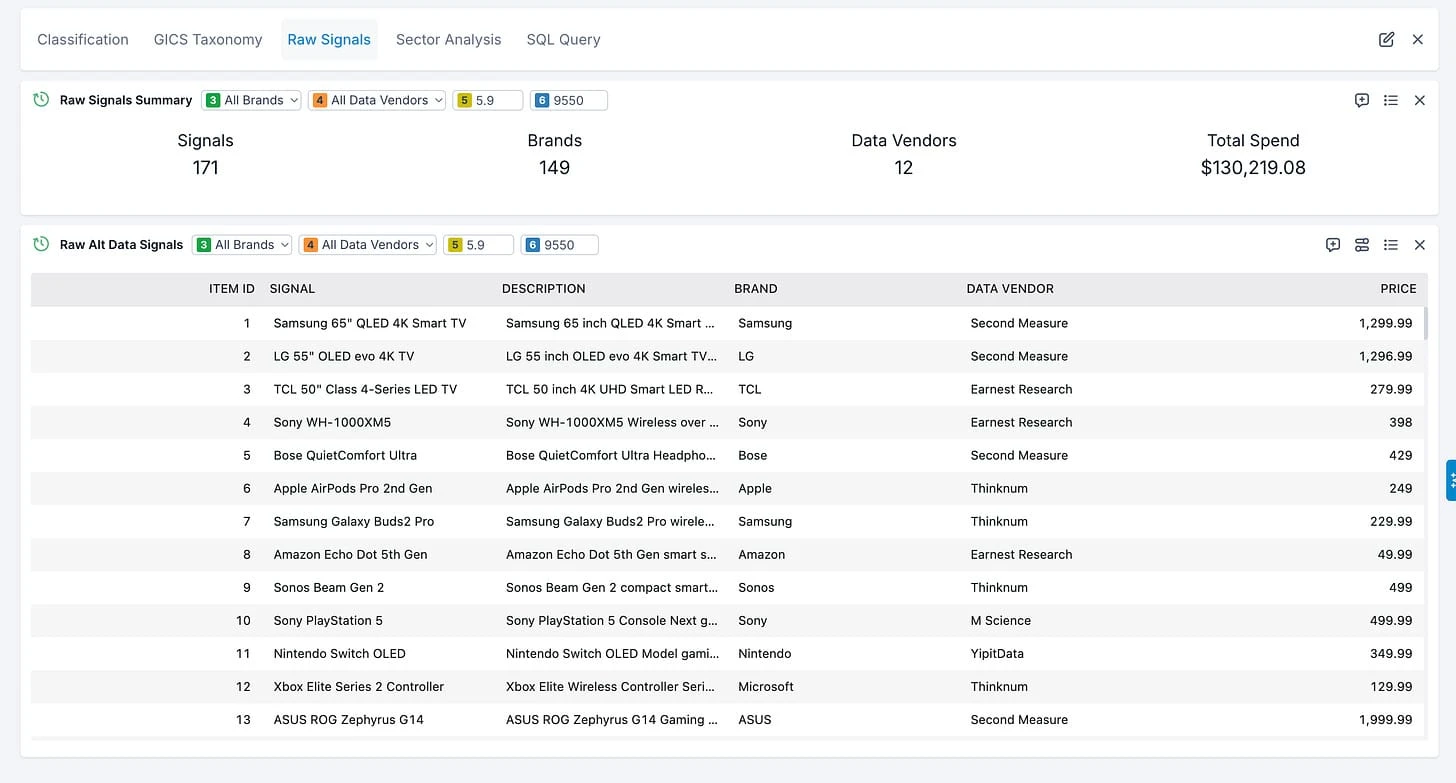
In OpenBB this is a single config field that maps the parameters together based on the same endpoint name.
And it's waaaaay more clean.
5. User-controlled data visualization
Streamlit gives you st.dataframe, st.bar_chart, and room for Plotly. Table formatting is limited, and anything interactive beyond sorting and basic filtering is a custom component or a JavaScript bridge.
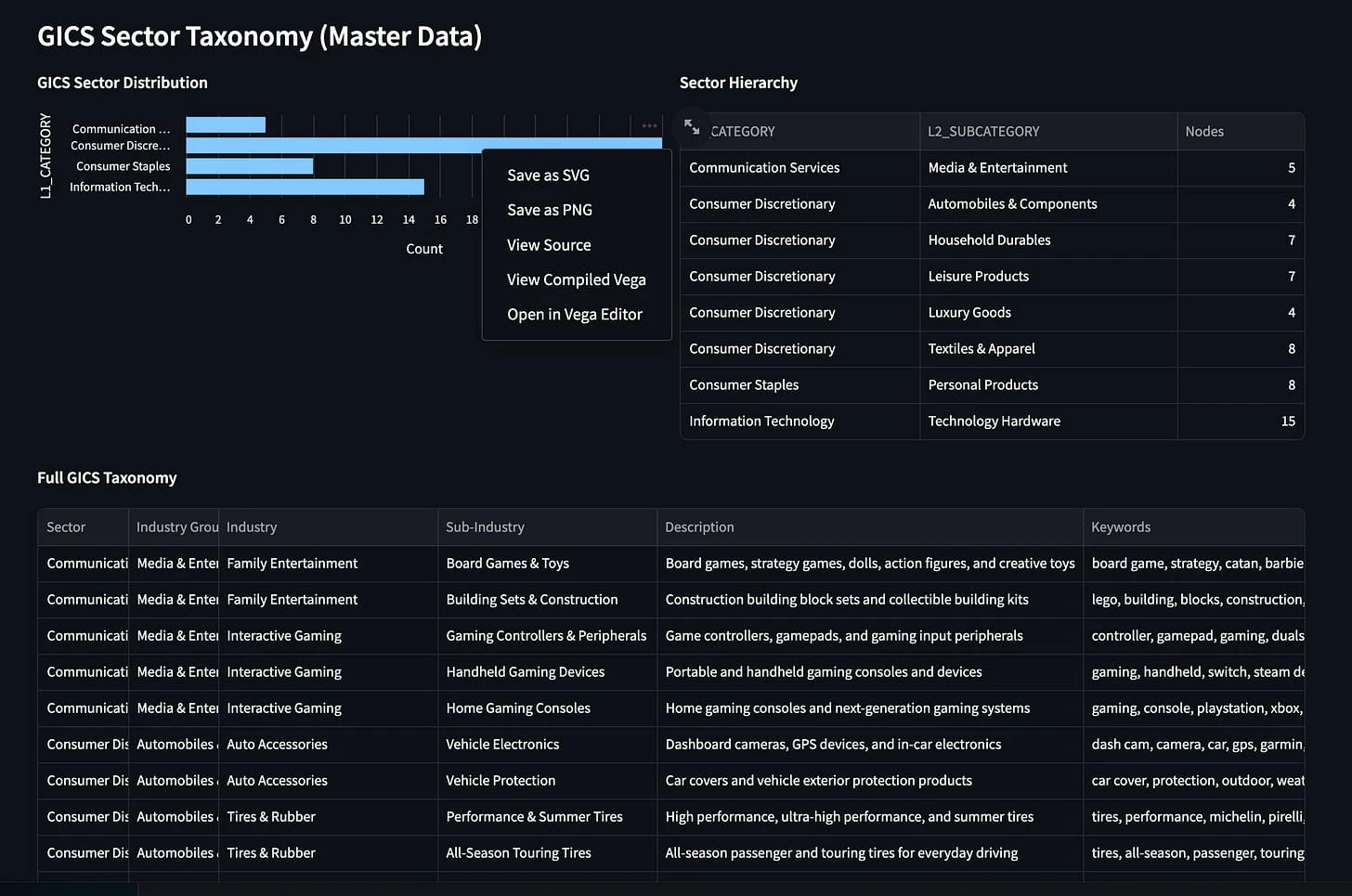
The trade-off you are making is that the developer will be able to build POC fast - but the end user will have no freedom to do anything at all.
This is actually one of my main issues with most vibe coded apps. Unless you are building them for yourself they are selfish - because you build it as YOU want it and not as the end user wants. And if the end user wants changes they won't have a good time.
OpenBB is highly optimized for end user.
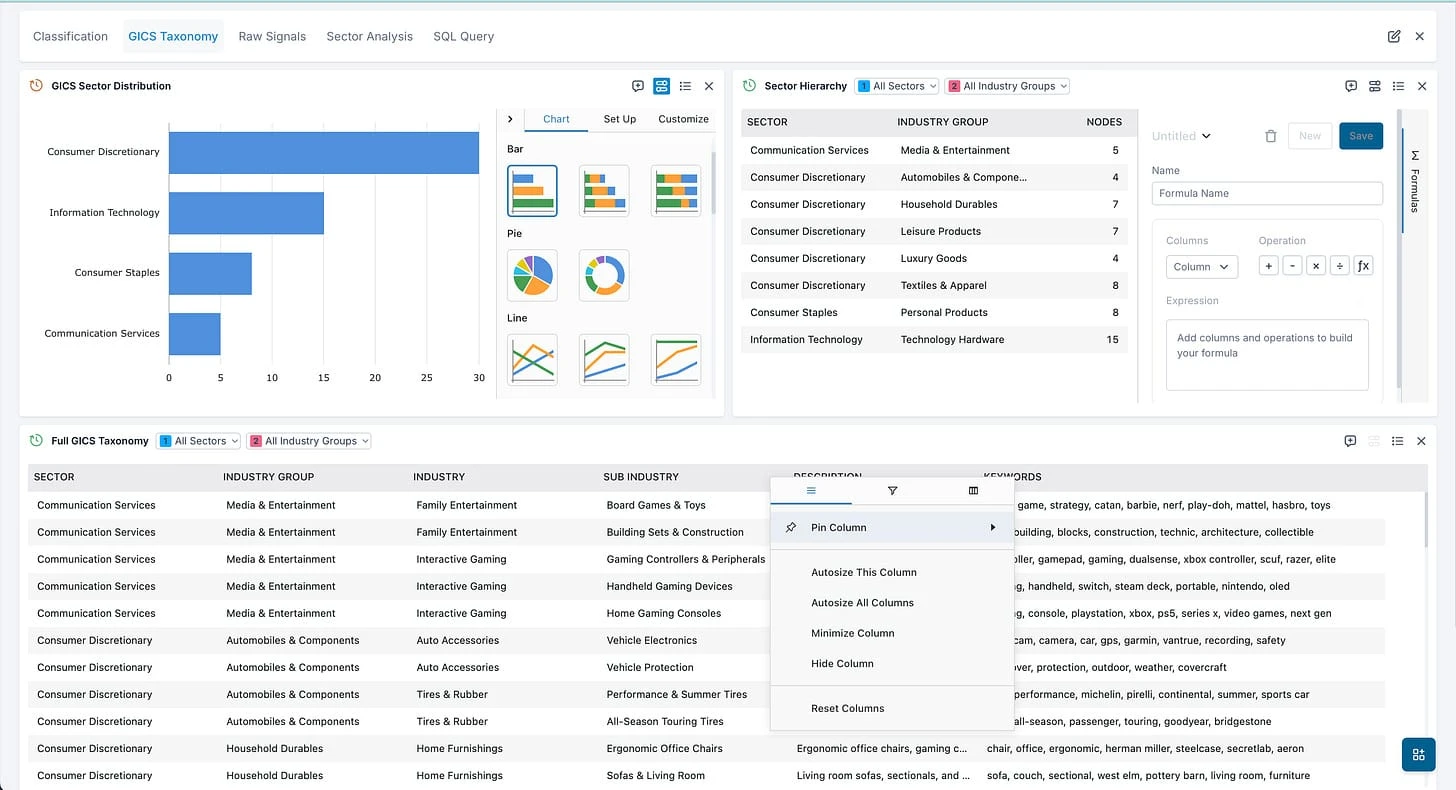
OpenBB uses AGgrid under the hood, which means every table ships with the things analysts/PMs actually expect: column widths and formatters, hiding columns, resize and rearrange dataframe, but also more advanced settings like pivot or creating new columns by running a formula across columns.
In addition, you are able to have a chart view of that table and control it to your liking (2 y-axis, title, barchart vs pie chart, coloring, etc...). But if someone doesn't like it that's ok as they can change the visual of that table or even just look at the raw data by clicking in a single button.
We believe BI tools got that UI/UX right and we have done everything to preserve it from that usage perspective.
Note that none of these actually requires any configuration from the user building an app on OpenBB - these all come by default.
6. Dashboard customization without code
Note the difference - in OpenBB you control not only the data views (as mentioned before) but also the overall view.
In Streamlit, when a user wants to do something as simple as changing the order of widgets - they need to either ping the developer that built the app, or do it themselves. If they ping the developer then that back-and-forth becomes cumbersome, if they do it themselves they risk that that change will upset other users. There's no concept of "tweaking the dashboard to my liking".
OpenBB is built on this idea. The developer ships the individual widgets (which are essentially wrapped APIs) and the end user can configure the dashboard layout and visuals as they want from the UI perspective. It's literally as simple as dragging widgets around, creating a navigation bar to compartmentalize it and then either saving the app or sharing the dashboard. At no point in time is the user required to touch any code. Nor will the user impact the original app that was built by the developer, they will just keep their own version optimized for their workflow.
Here are 2 views of the exact same dashboard (based on 2 different points of views from the user):
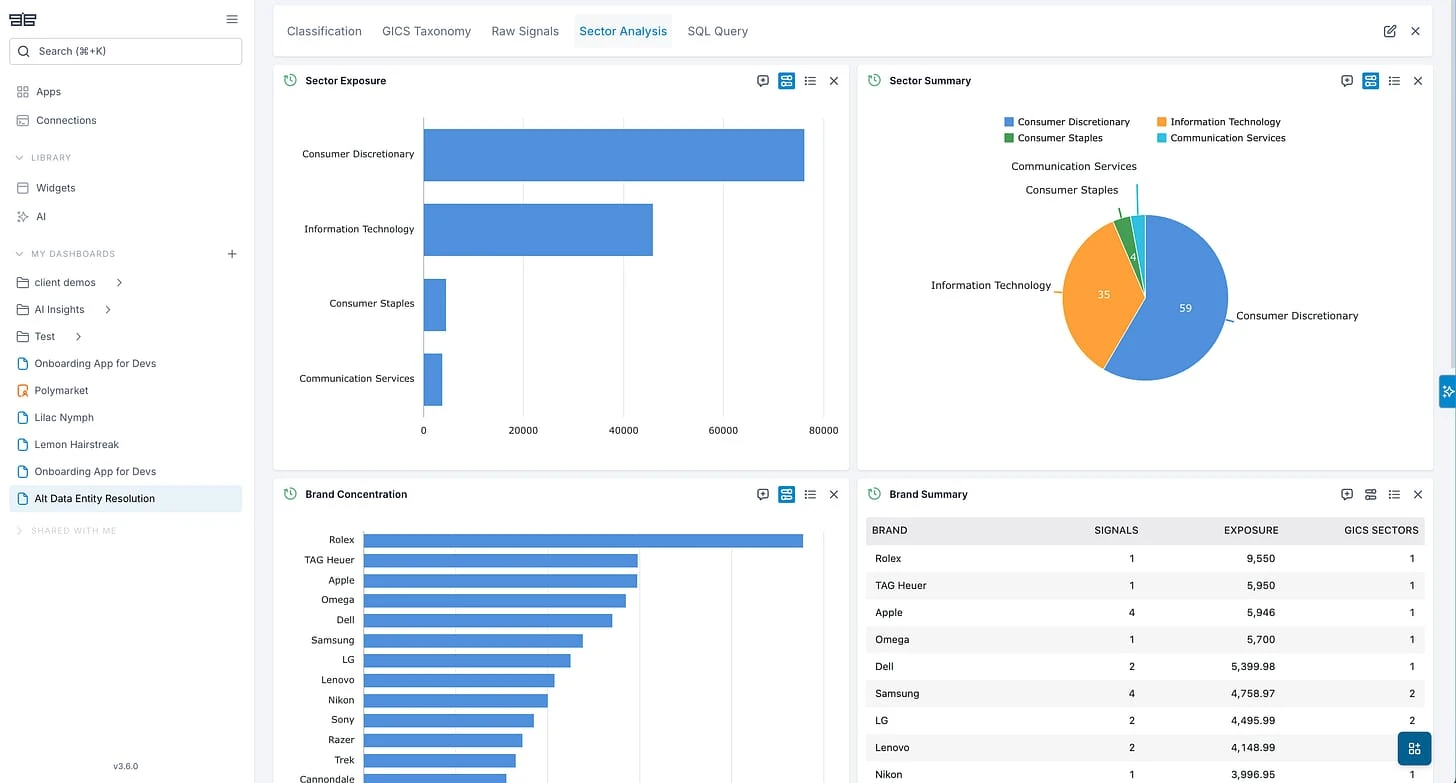
It's literally the same data, just organized differently - according to the user's preferences.
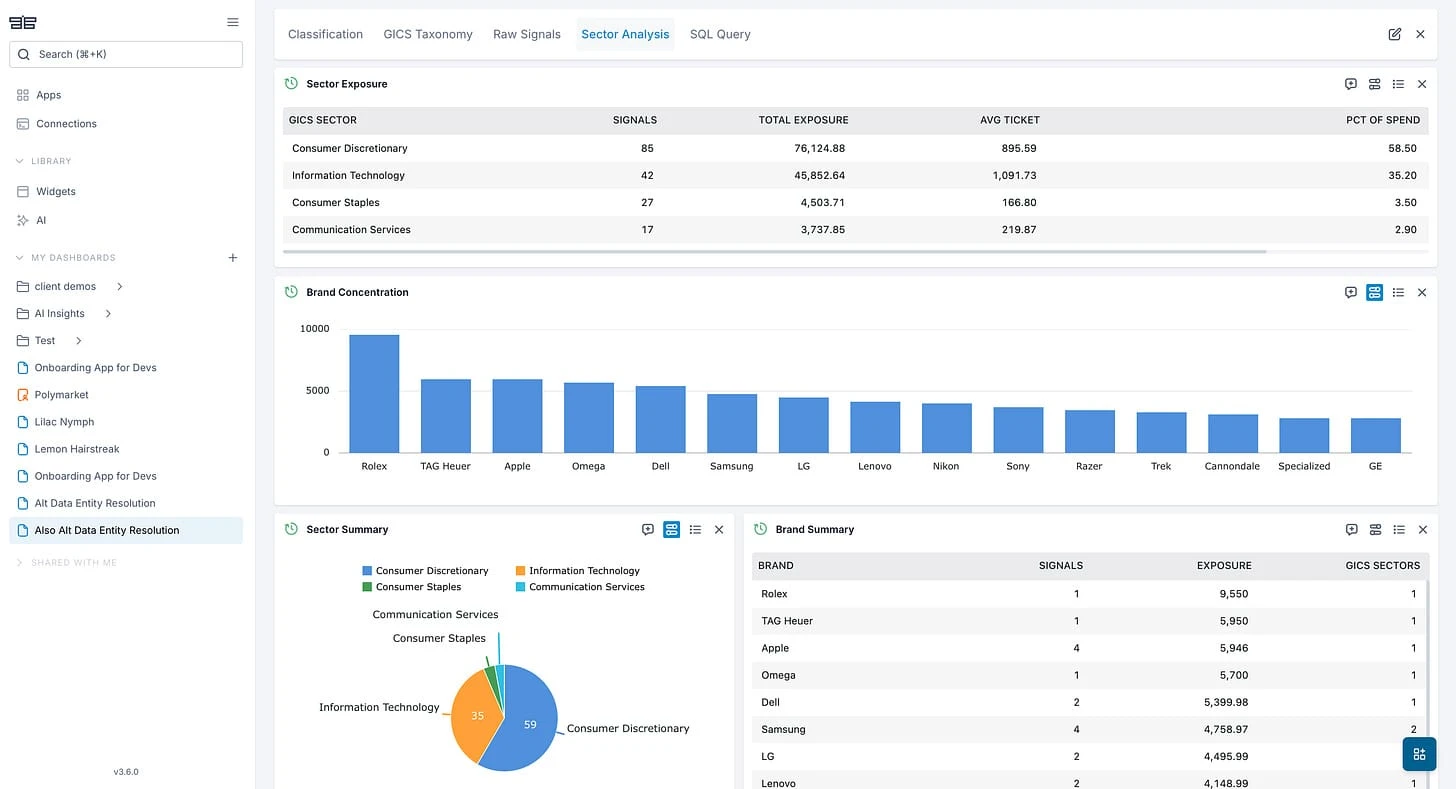
For finance teams where analysts/PMs always outnumber developers, this is the feature that determines whether the dashboard gets used or abandoned.
7. Widget library integration
When I'm given a Streamlit app, there's no concept of "post" editing that happens in the UI. If I want to add any data to the dashboard I need to contact the developer who built it or I need to edit the code directly myself.
This is extremely cumbersome - not only that but it can lead to errors happening since the code is all bundled together.
In OpenBB, you just need to have the new endpoint for the data you want and the associated widget JSON spec so that you can add it to your dashboard.
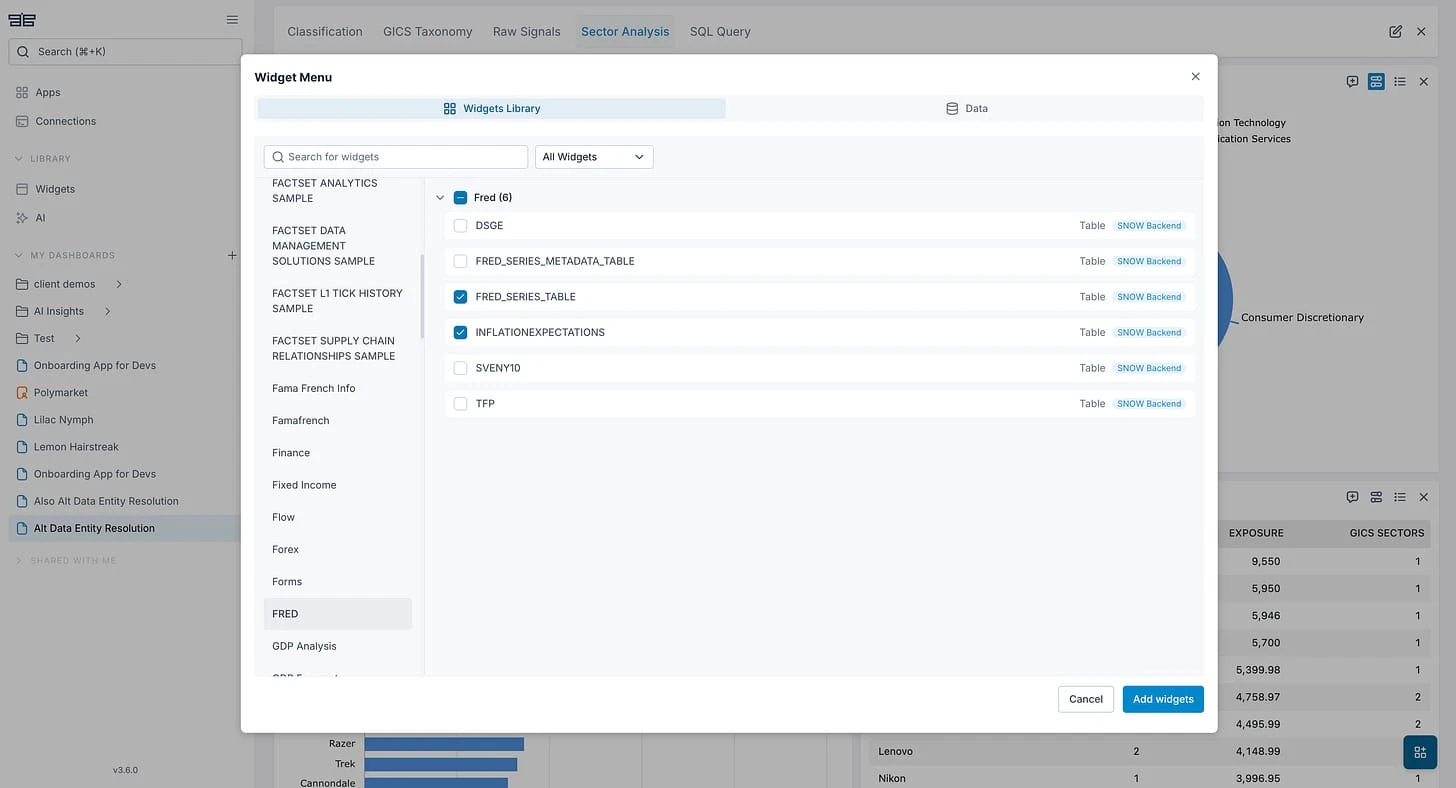
And voila.
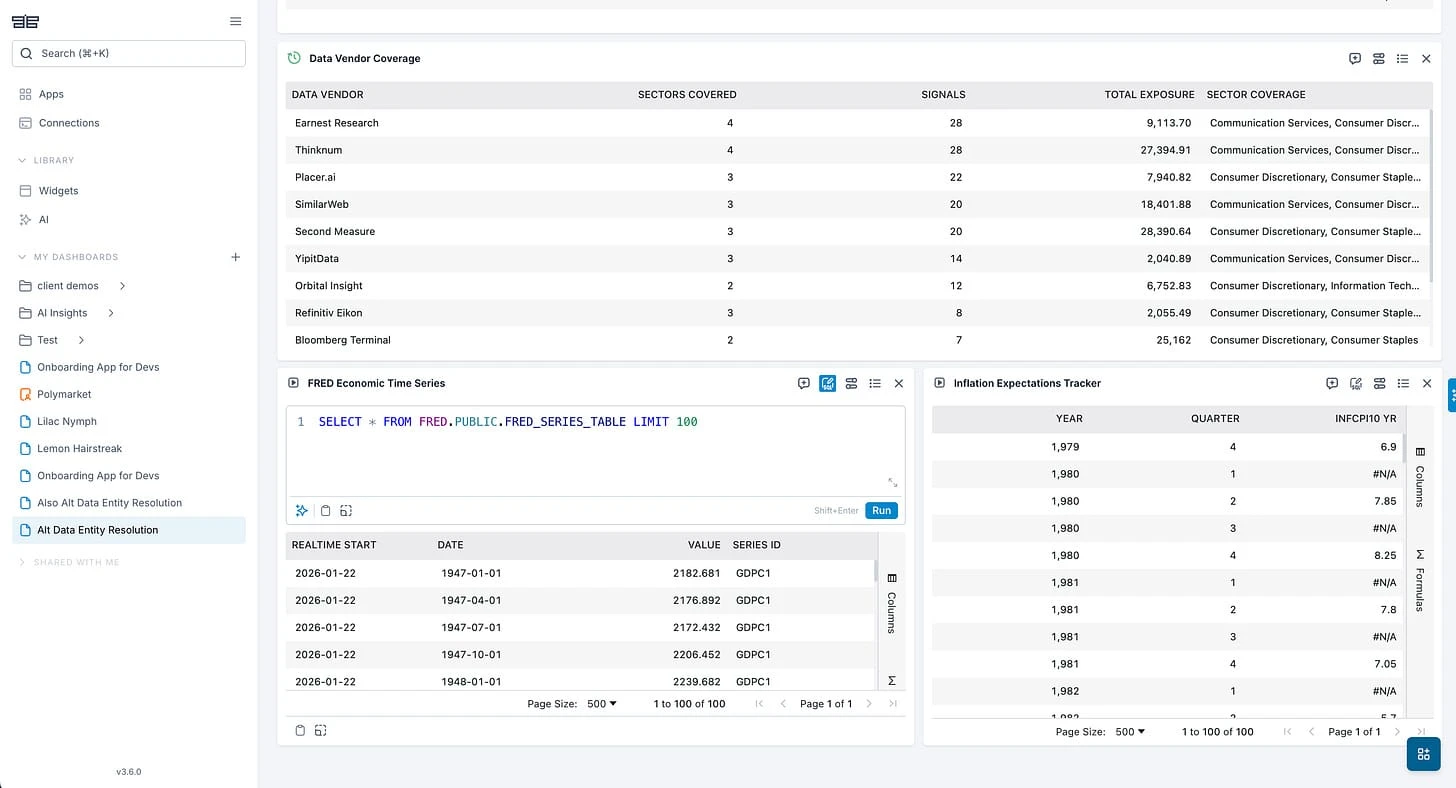
Now the two widgets appear next to my original dashboard.
8. App sharing and versioning
And the way to get this across your team is literally 2 clicks???
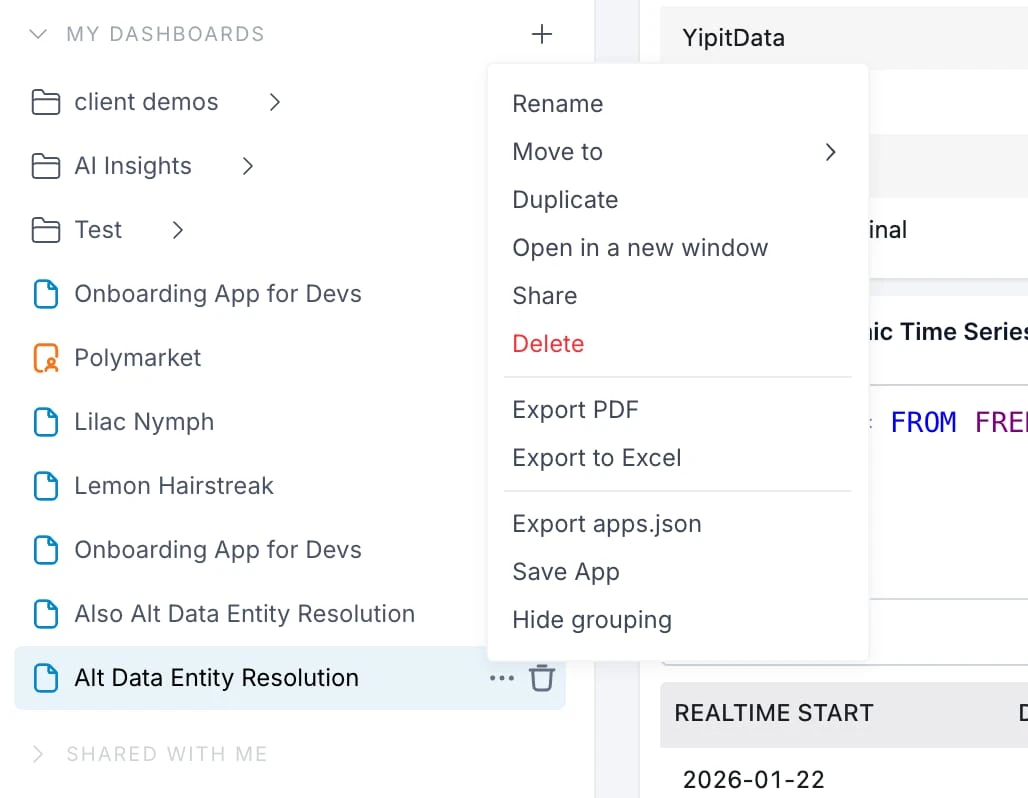
If I click on "Share" then I can share this specific dashboard with my team - which they can duplicate and work on top of.
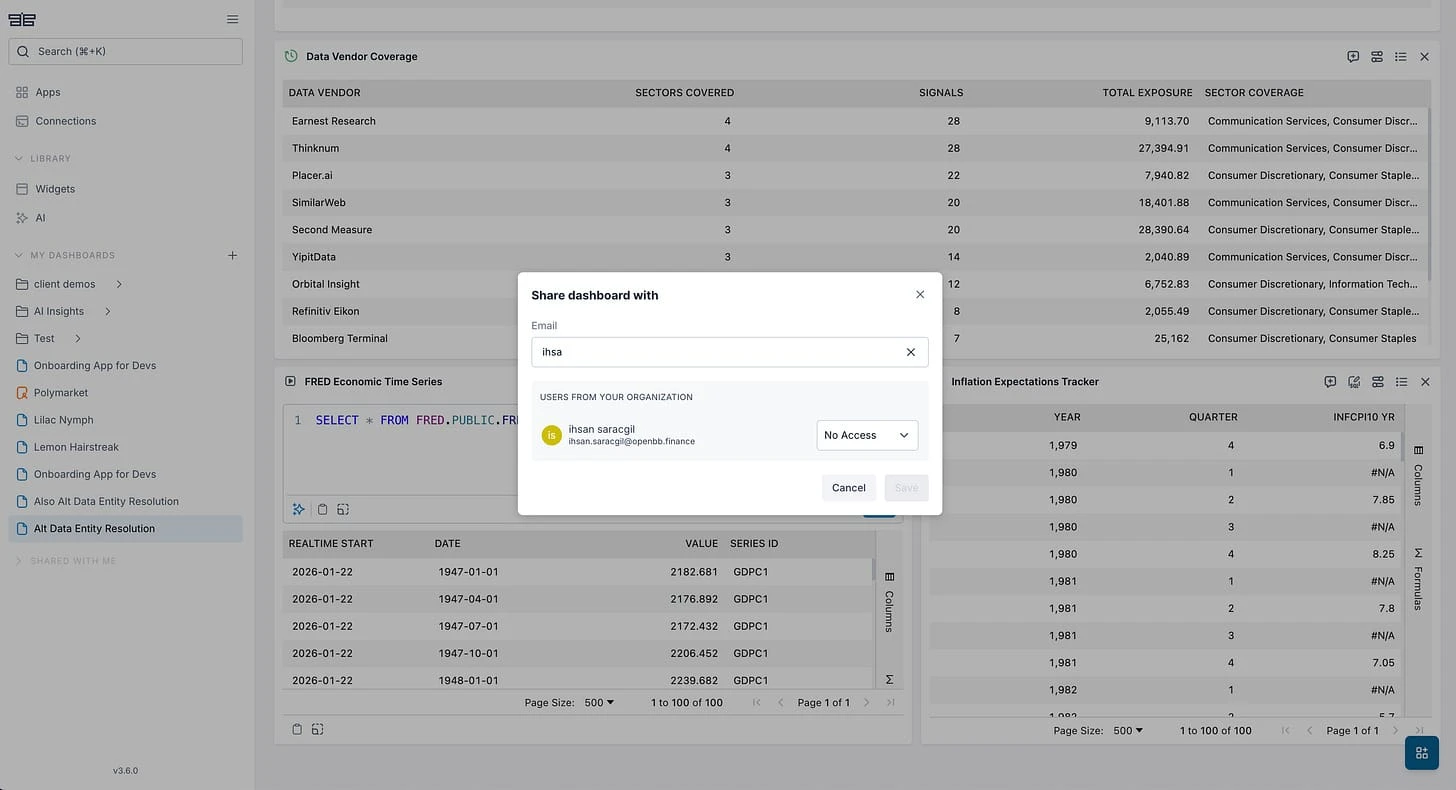
If I click on "Save App" then I create a new template dashboard that I can click and go into every time.
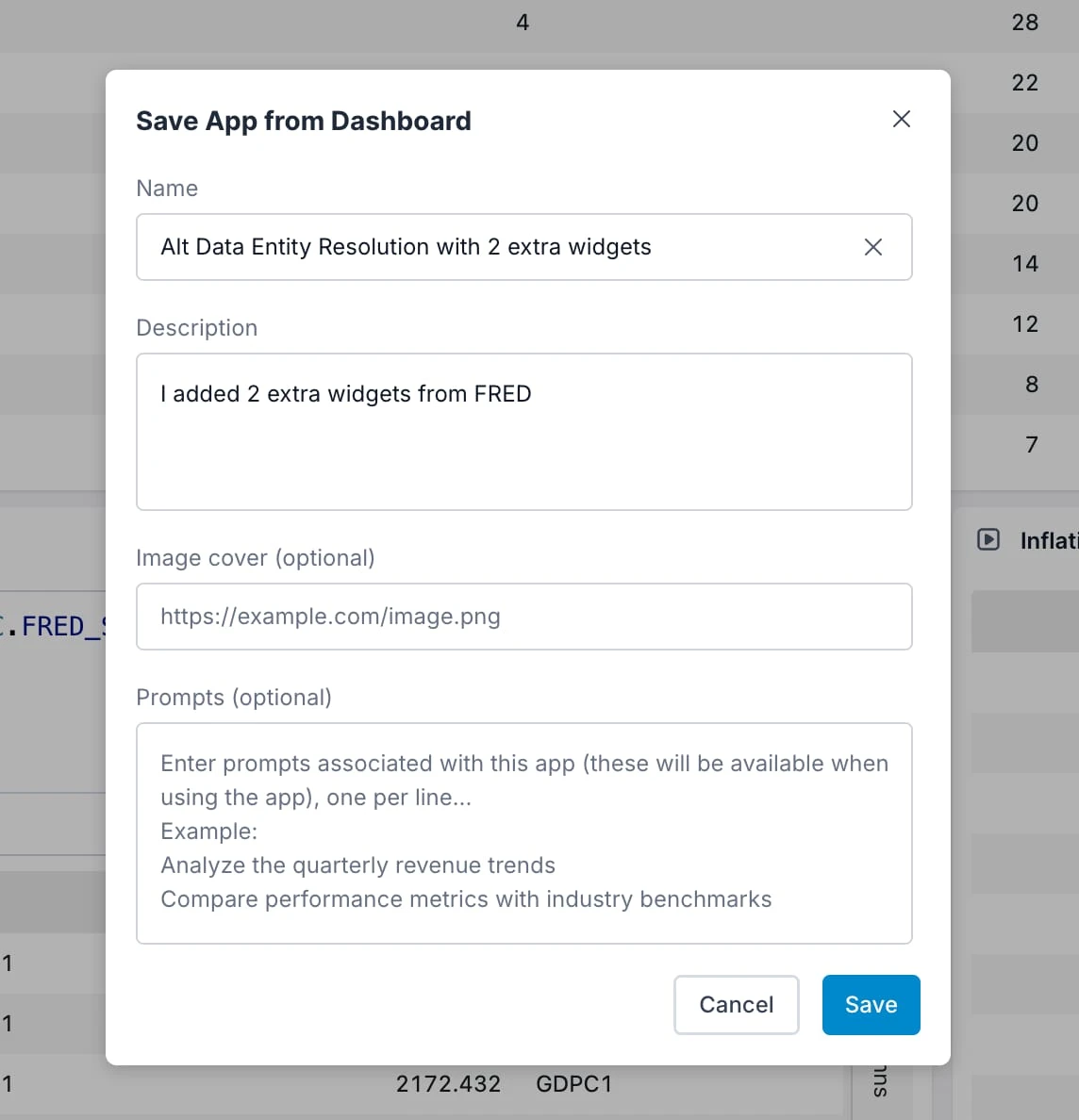
As seen here as "Saved App", where we OpenBB store your apps.json.
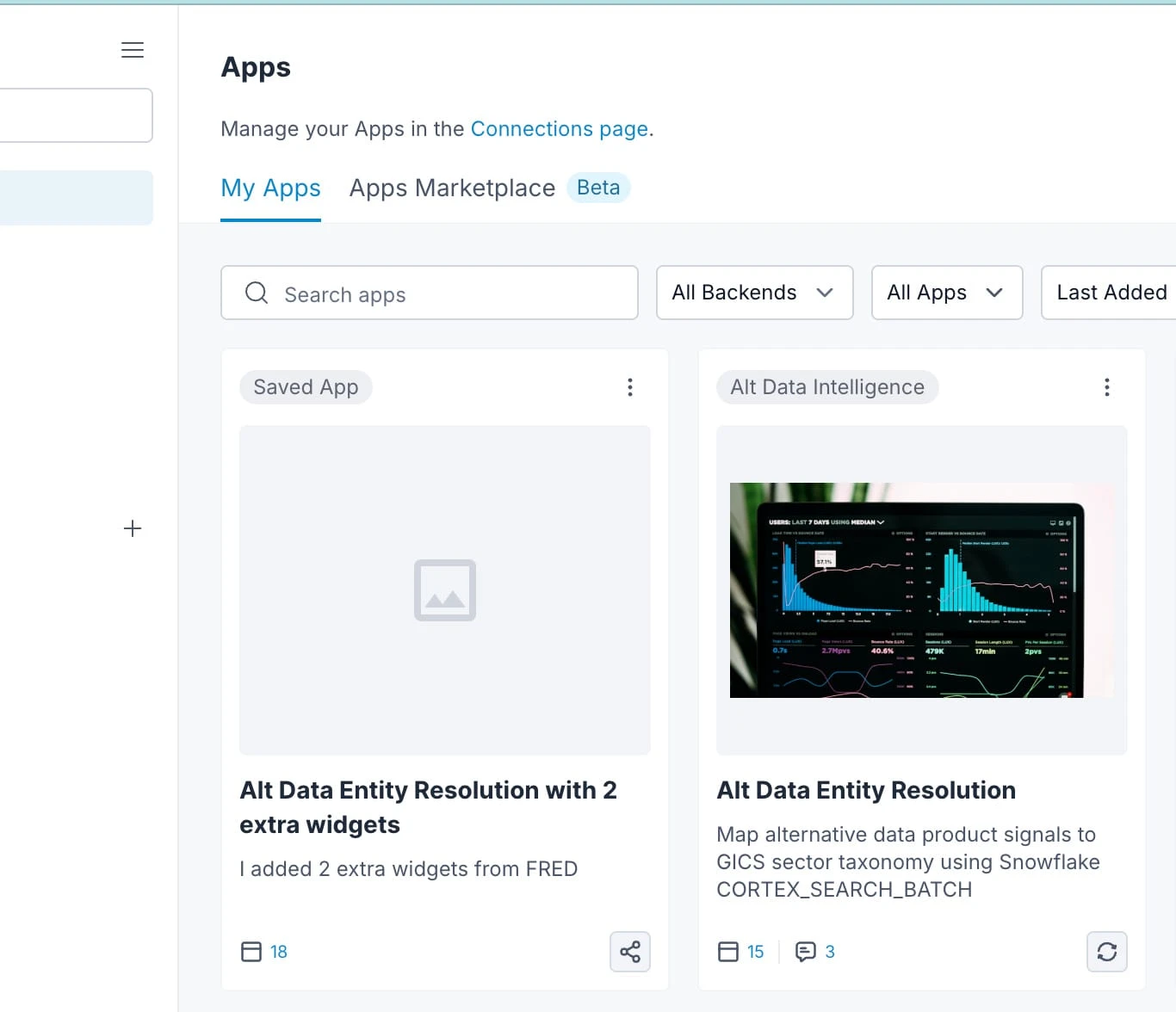
But the cool thing is that I can share this app template to anyone on my team!
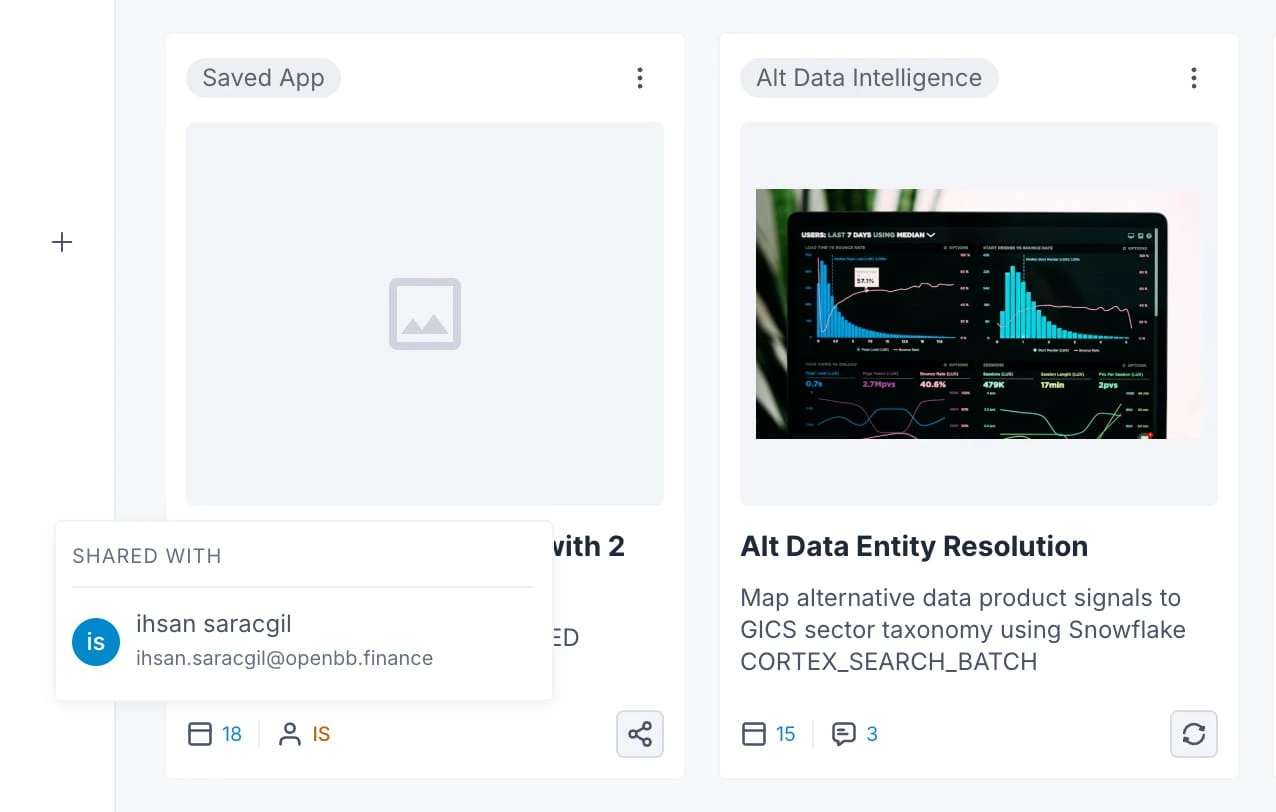
In the meantime, sharing a Streamlit app means Streamlit Cloud, a Docker setup, or telling your colleague to install Python 3.11 and run the thing locally. If you host it inside Snowflake's Streamlit runtime, you get deployment for free but everyone who looks at the dashboard needs a Snowflake account and the right access. You'll also need to explain the .env file or compute pool you forgot to document.
9. Role-based access control (RBAC)
So continuing from the example above on OpenBB, even though I shared this app with Ihsan. He would only have access to it if:
-
He had access to the original data via the endpoint created - e.g. I can get his user-id or cookie to double check whether he has the right permission to access the underlying data. This is similar to how it would happen in Streamlit.
-
I gave him access to the app and widgets via the UI as well. This is just an additional layer to ensure you have full control over how data gets diffused within your organization.
On that second layer, we can control access via the user's profile individually.
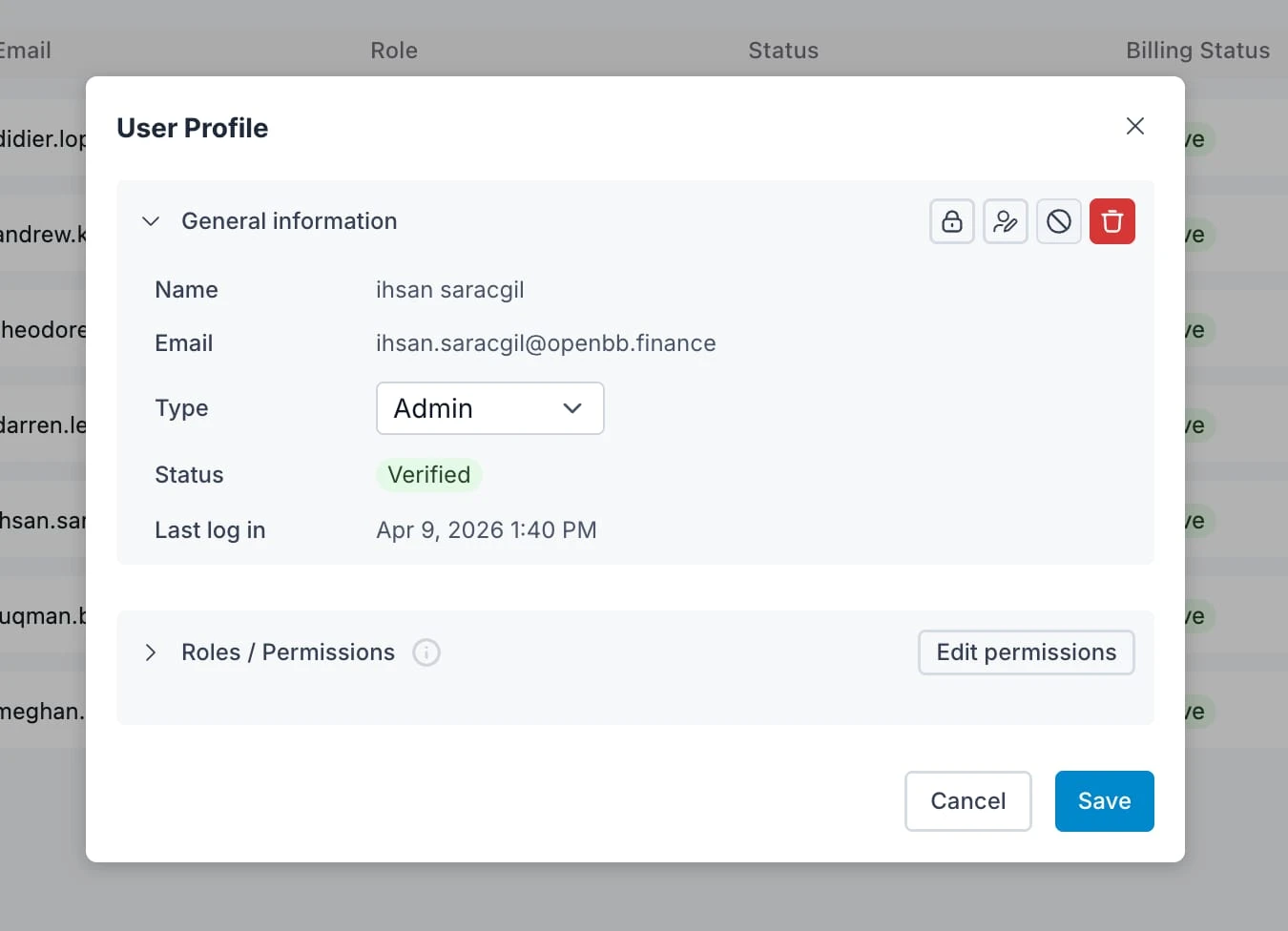
Or we can set a role that the user belongs to (e.g. Analyst Pod 2)
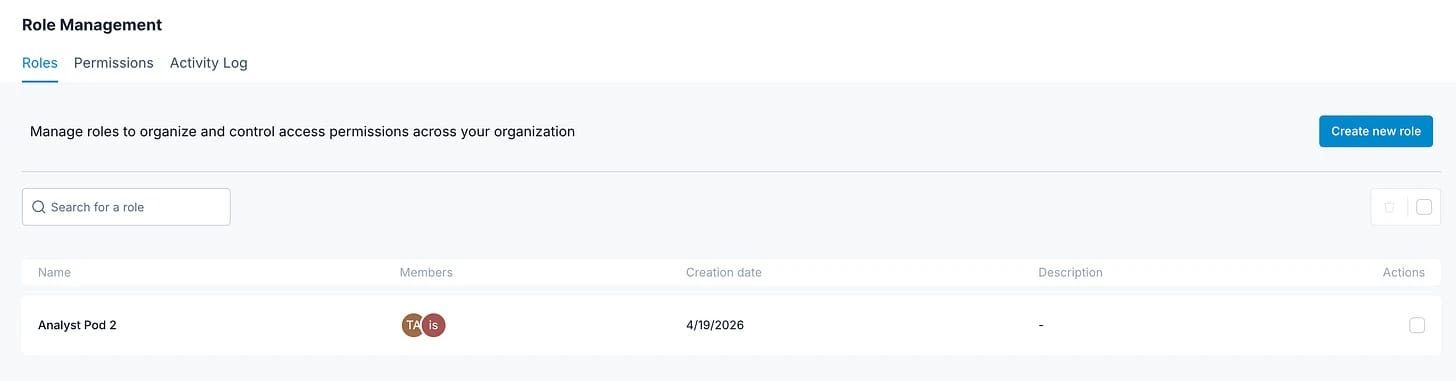
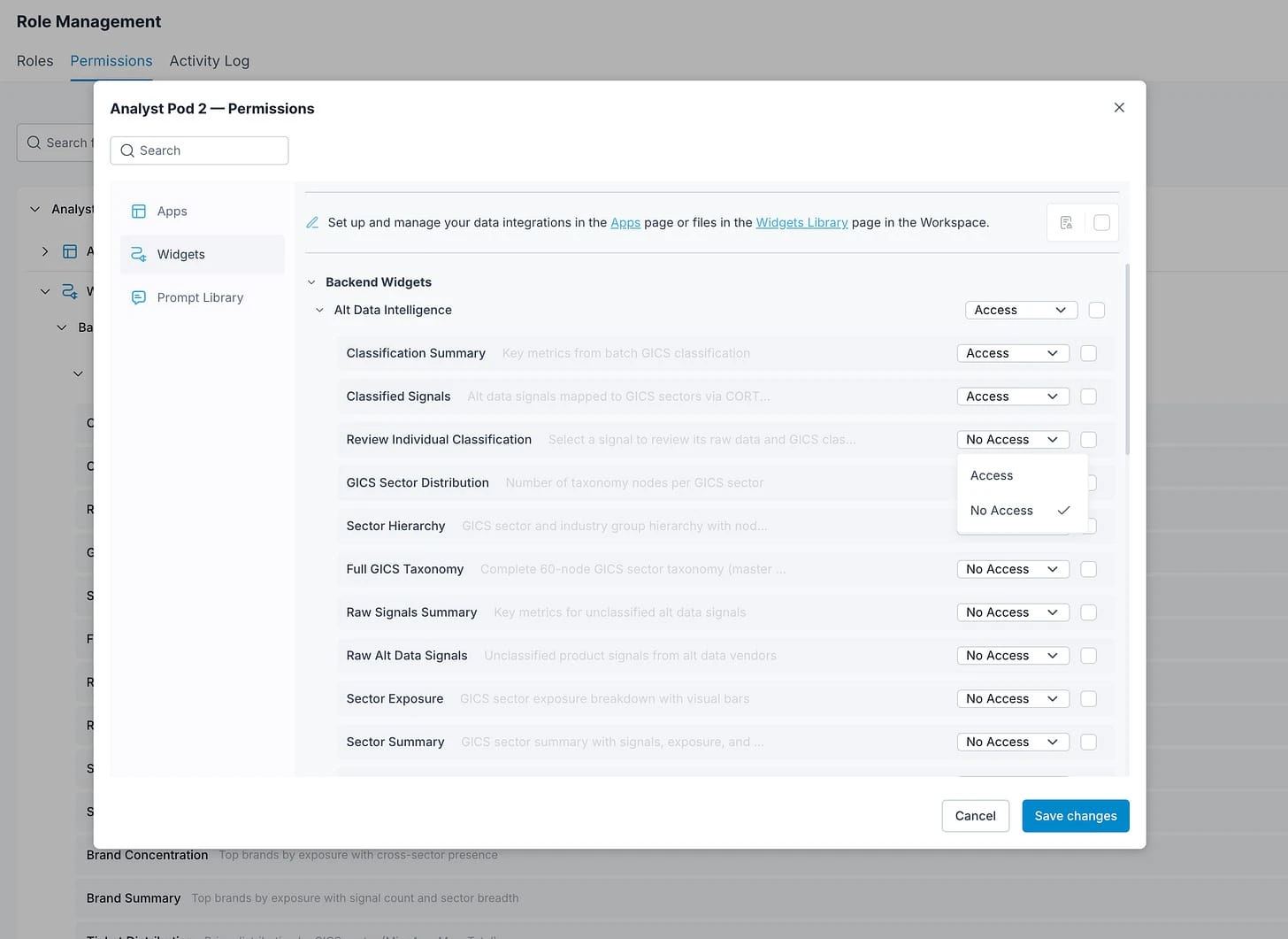
And then manage the permissions associated with that role individually.
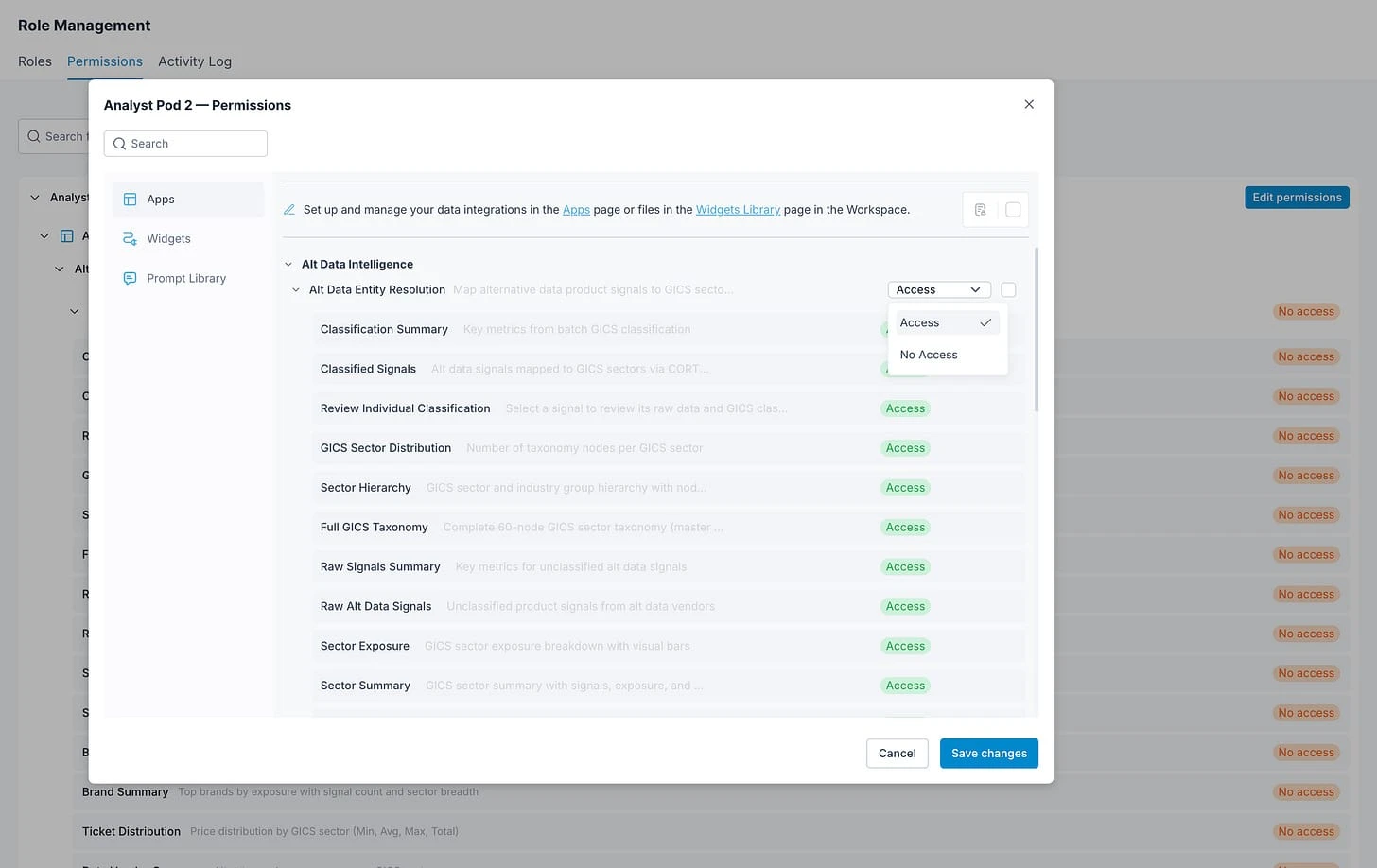
Streamlit has no built-in concept of who can see what. You share the whole app or you don't. If one widget on the dashboard shows live portfolio positions and another shows vendor coverage, you either split the app in two or let everyone see both. Or you have to build a lot of logic to manage the accesses on the backend.
OpenBB Workspace permissions go down to the widget. You can give the alt data team access to the vendor coverage and sector exposure widgets but hide the position-level widgets that belong to the PMs.
Same dashboard, different views depending on who's looking at it.
10. Unified theming and branding
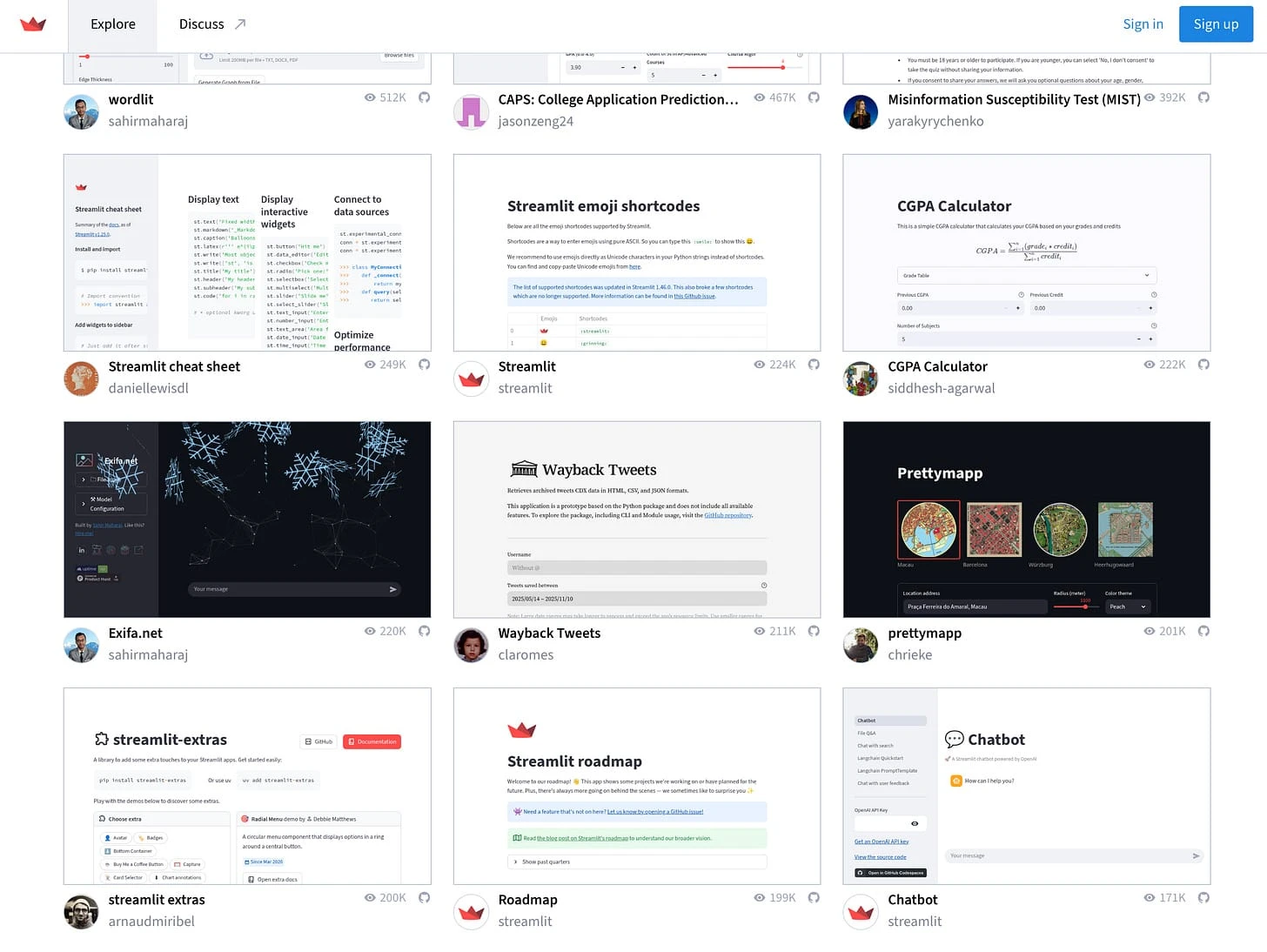
This is particularly relevant in the age of vibe coded apps where everyone builds their own application from scratch. Not just the tech stack can differ, but almost always there's no common design systems, let alone theme and branding.
I was thinking of how I can describe this - and the best I came up with is that it looks like sh*t.
Look at these different user apps and how their theme/branding differ.
Now compare that with different solutions built on top of the workspace where the theme defaults to OpenBB's one.
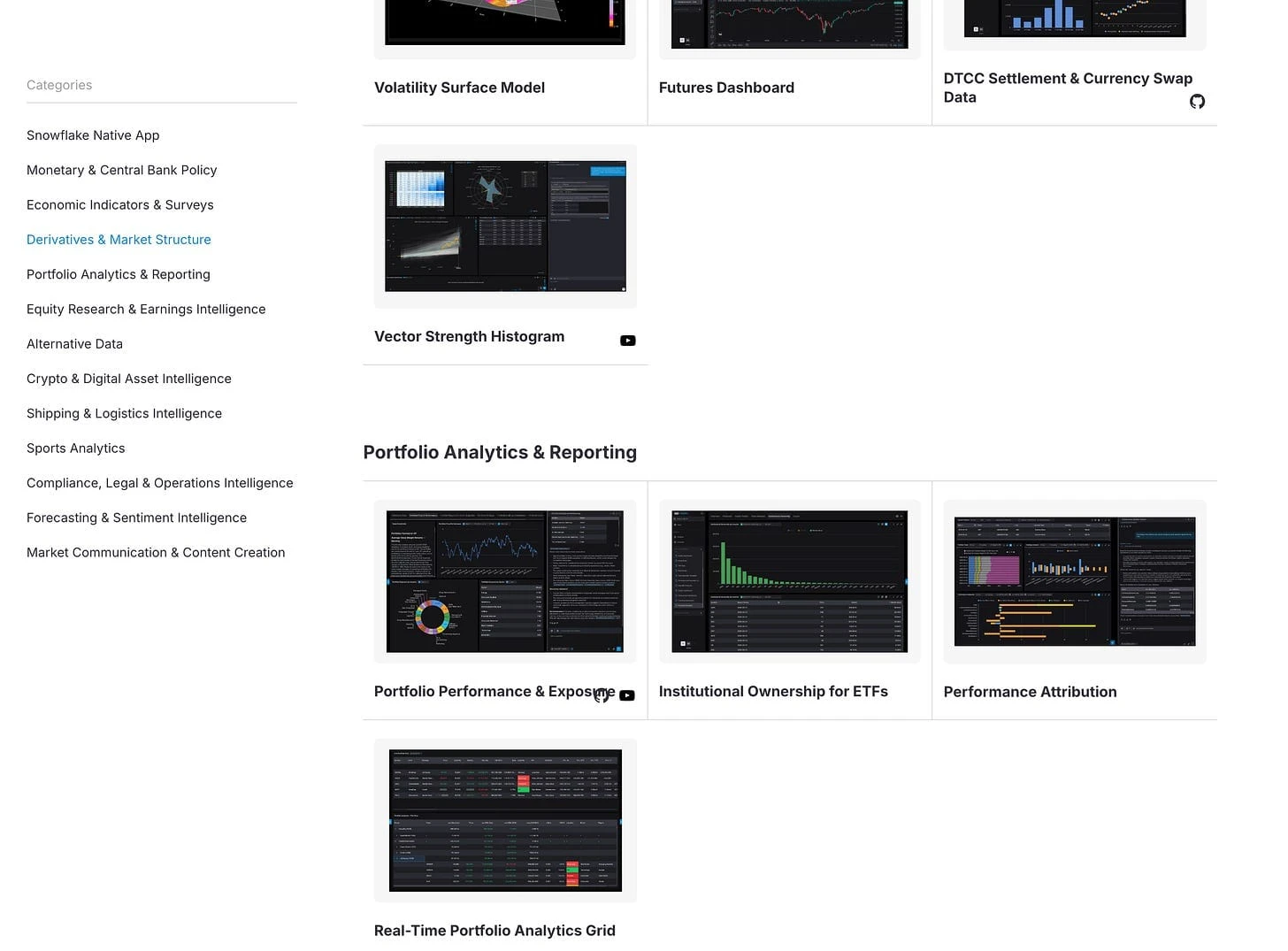
But if you wanted, you can literally change the theme to your company's one and even add watermarks!!!
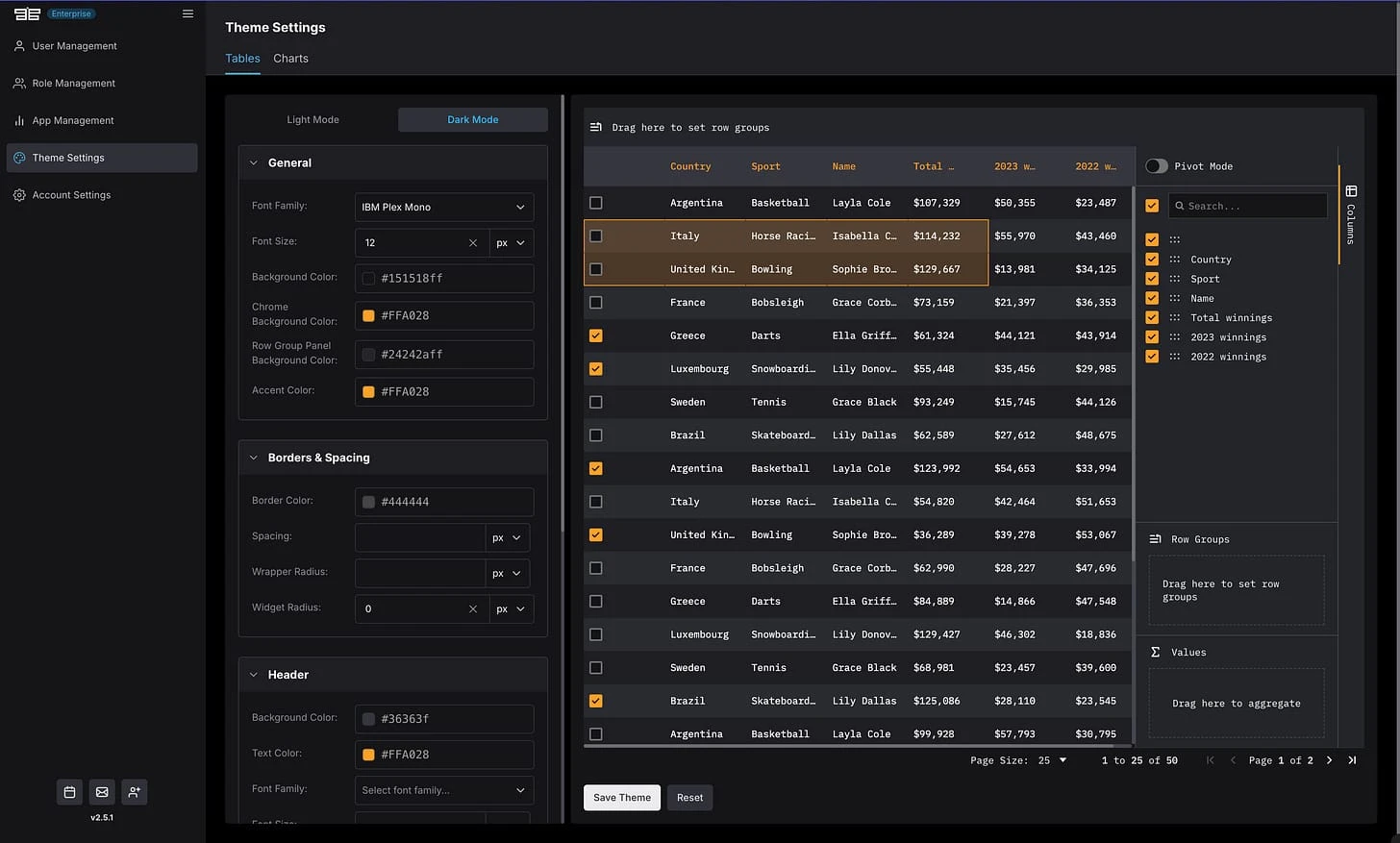
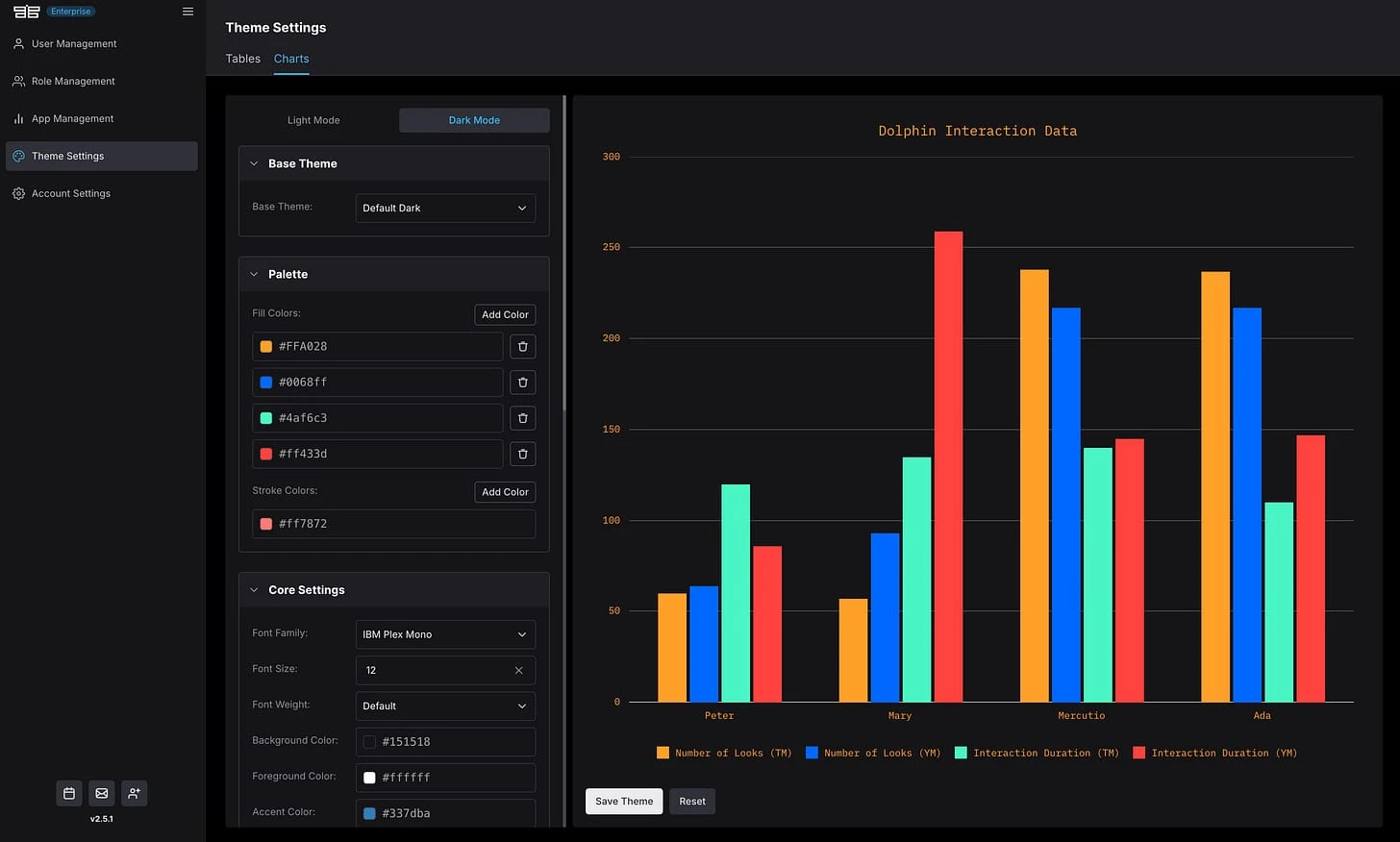
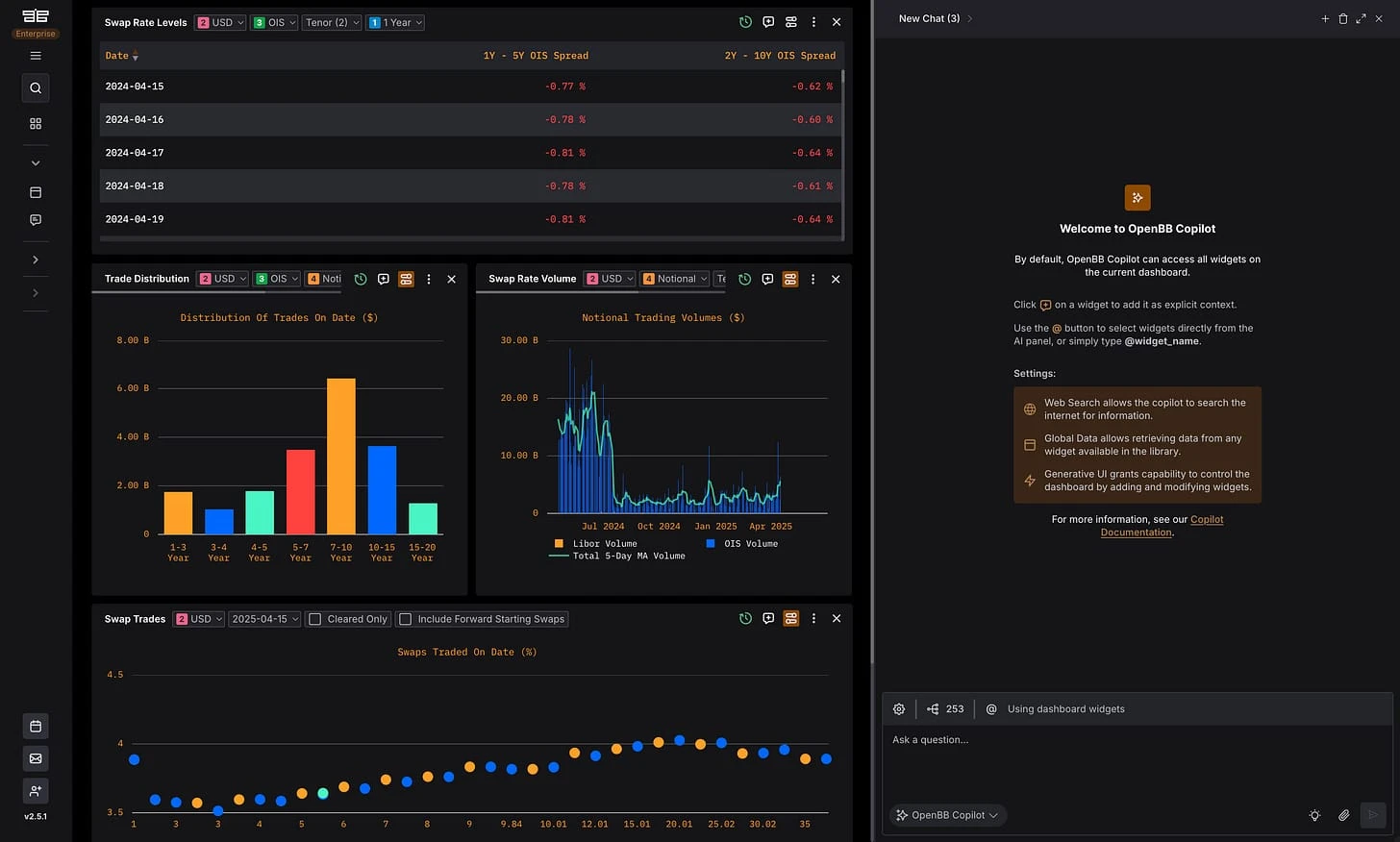
Then regardless of the widgets and apps built by different team members - the workspace retains its visual identity.
11. Cross-dashboard data integration
This is the other issue with vibe-coded apps. Not just the styling which maybe you can live with (maybe I have OCD and I'm the only one who this bothers ahah); but the fact that each vibe-coded app lives in its own world, without being able to work with your other applications and particularly not cross-referencing the data.
If you are getting started in a journey of building apps, this is ok. But as soon as you have multiple, this doesn't end well. And complexity arises exponentially to "fix it".
Think of it. Every Streamlit app is a separate URL and a separate deployment. After a few months you have a several URL tabs, maintained by different people and aiming at different user bases.
In OpenBB Workspace, every app lives in one interface next to your data sources, other apps, and AI conversations (I'm going to get into this in a bit). Add a backend once, the dashboards are there. When the copilot generates an insight from the alt data classification, the insight is already in the environment where you'd act on it, next to the portfolio view, the vendor coverage app, and whatever else the team builds on top.
I mean look at this view:
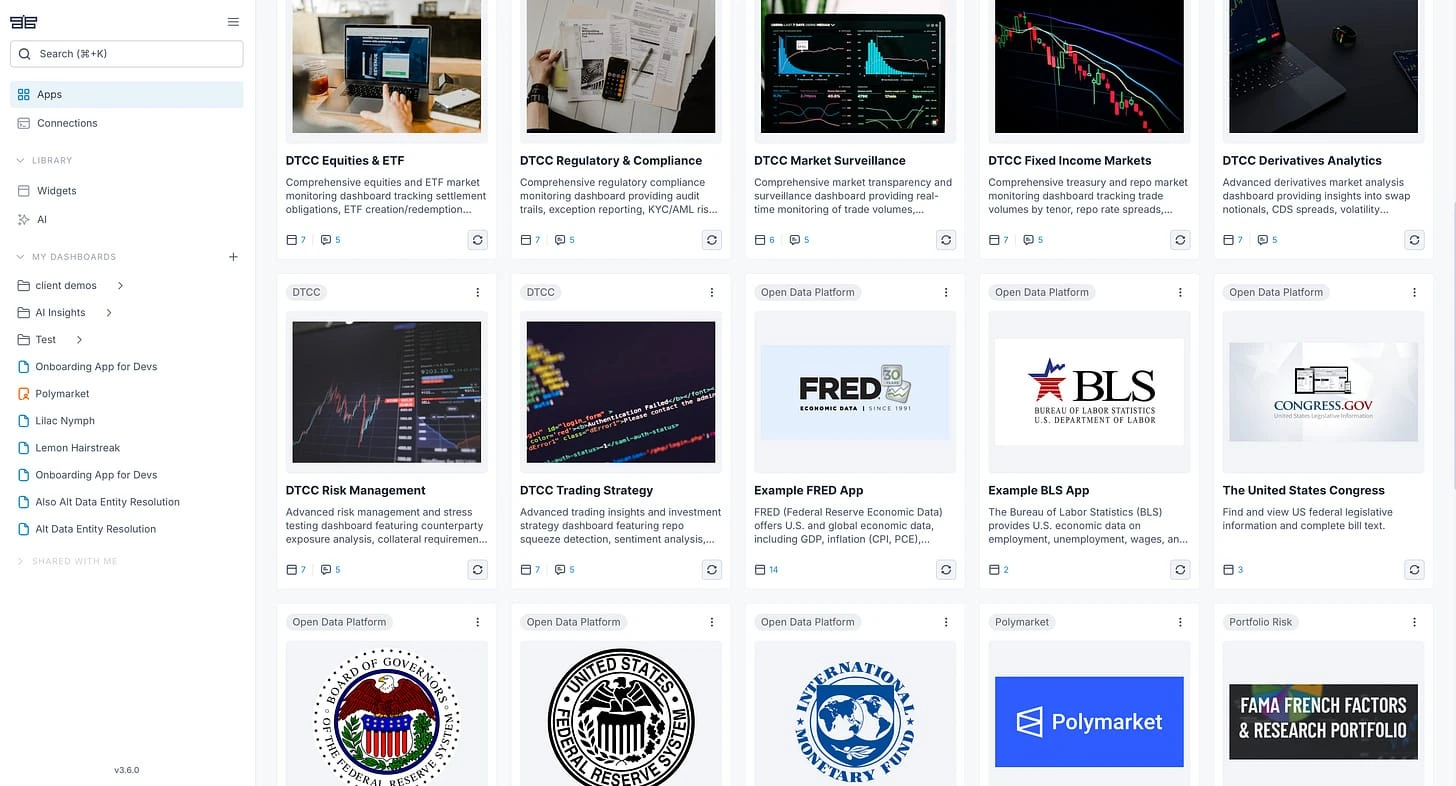
12. Excel integration
You can find it in the Excel formula directly.
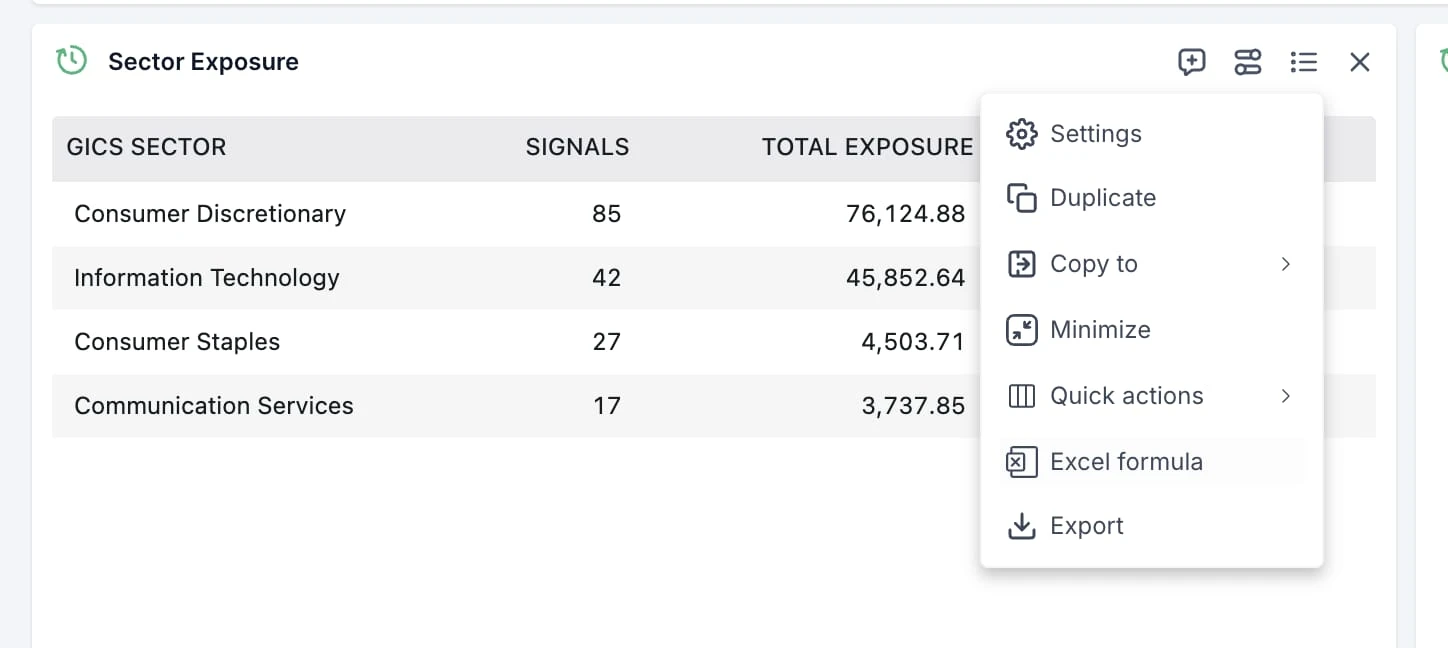
Which gives you the formula with and without explicit parameters.
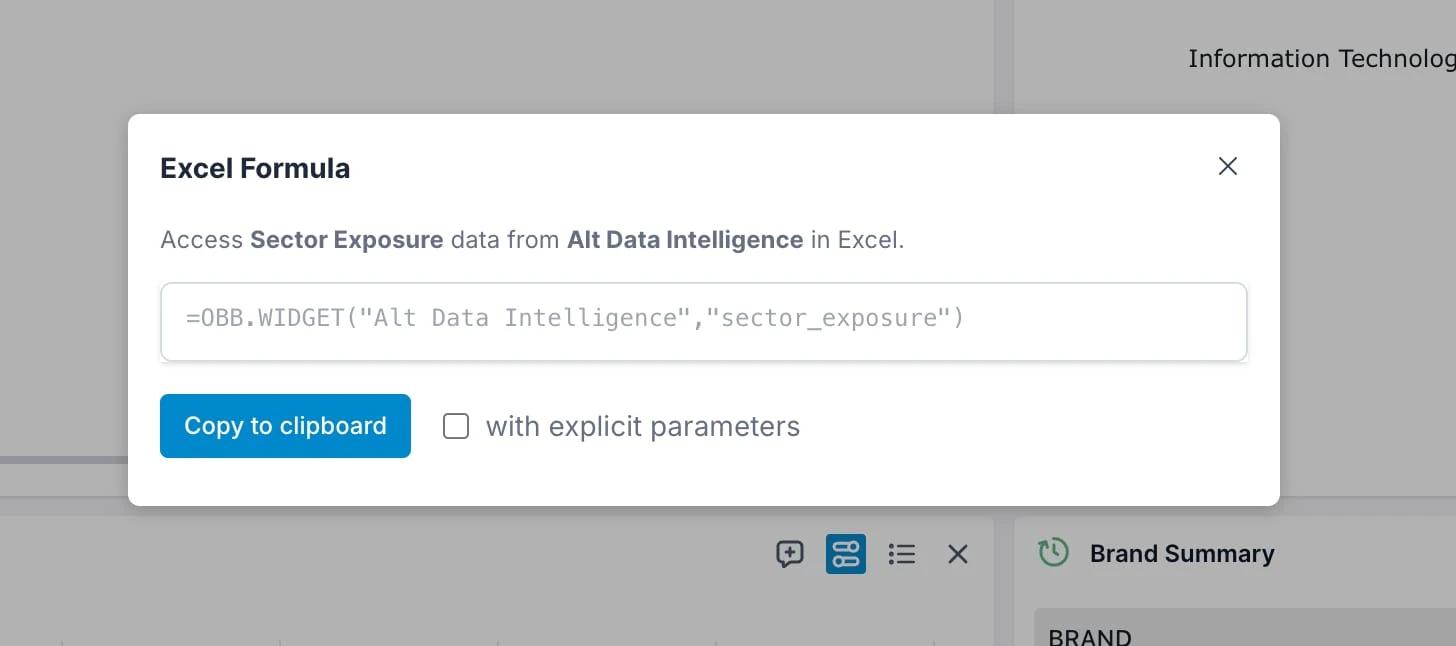
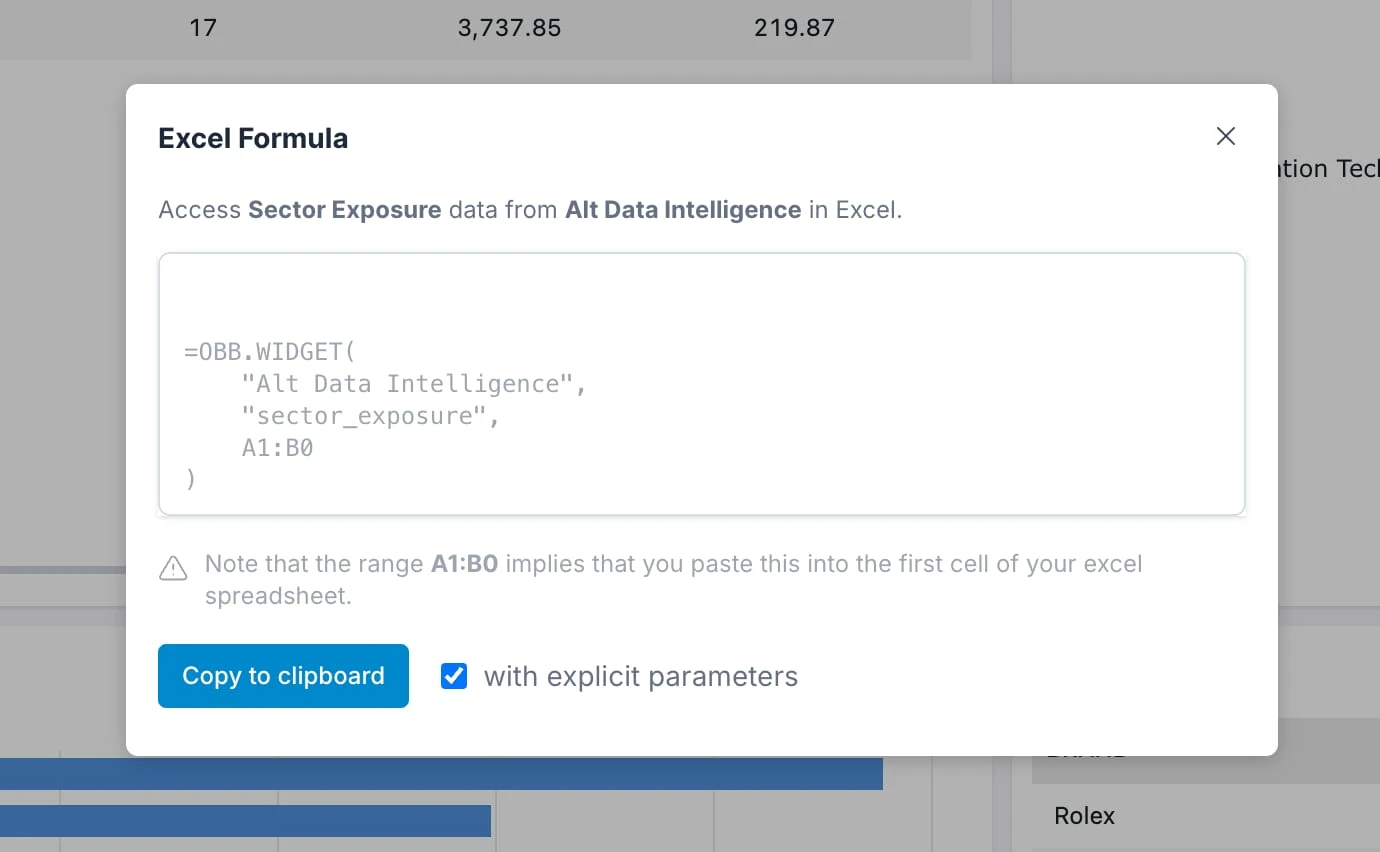
Then as long as you have OpenBB excel add-in plugin, you can access this data.
13. AI infrastructure built-in
At this point I already gave enough reasons on why OpenBB should be used in detriment of Streamlit.
But I didn't even touch on the AI piece... so let's do this.
Streamlit doesn't come with AI infrastructure. OpenBB does.
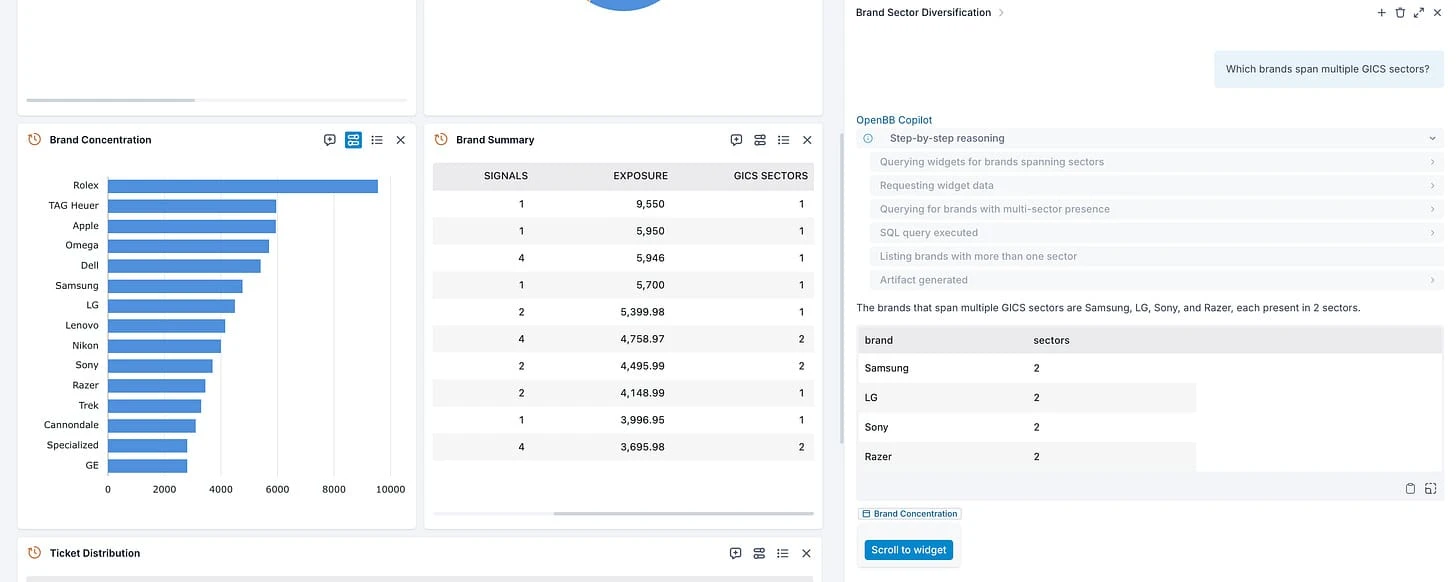
It does because we've built it with AI in mind since day one. Widgets have metadata associated with them that allows copilot to select which one to use (essentially doing tool call), and agents are able to interact with any type of data - structured (e.g. tables, charts) but also unstructured (e.g. documents, images).
Every OpenBB Workspace app comes with a default AI copilot that has access to all the widgets on the current dashboard, but also all widgets from the workspace.
E.g. the following prompt - it shows the reasoning which you can store internally and everything remains internal. But also cites the widget used so it's grounded with a specific dataset which you can validate.
14. AI artifacts and agent integration
Everything produced by the agent can be added to the dashboard as static artifact - again, maintaining the belief that firms should own their own context.
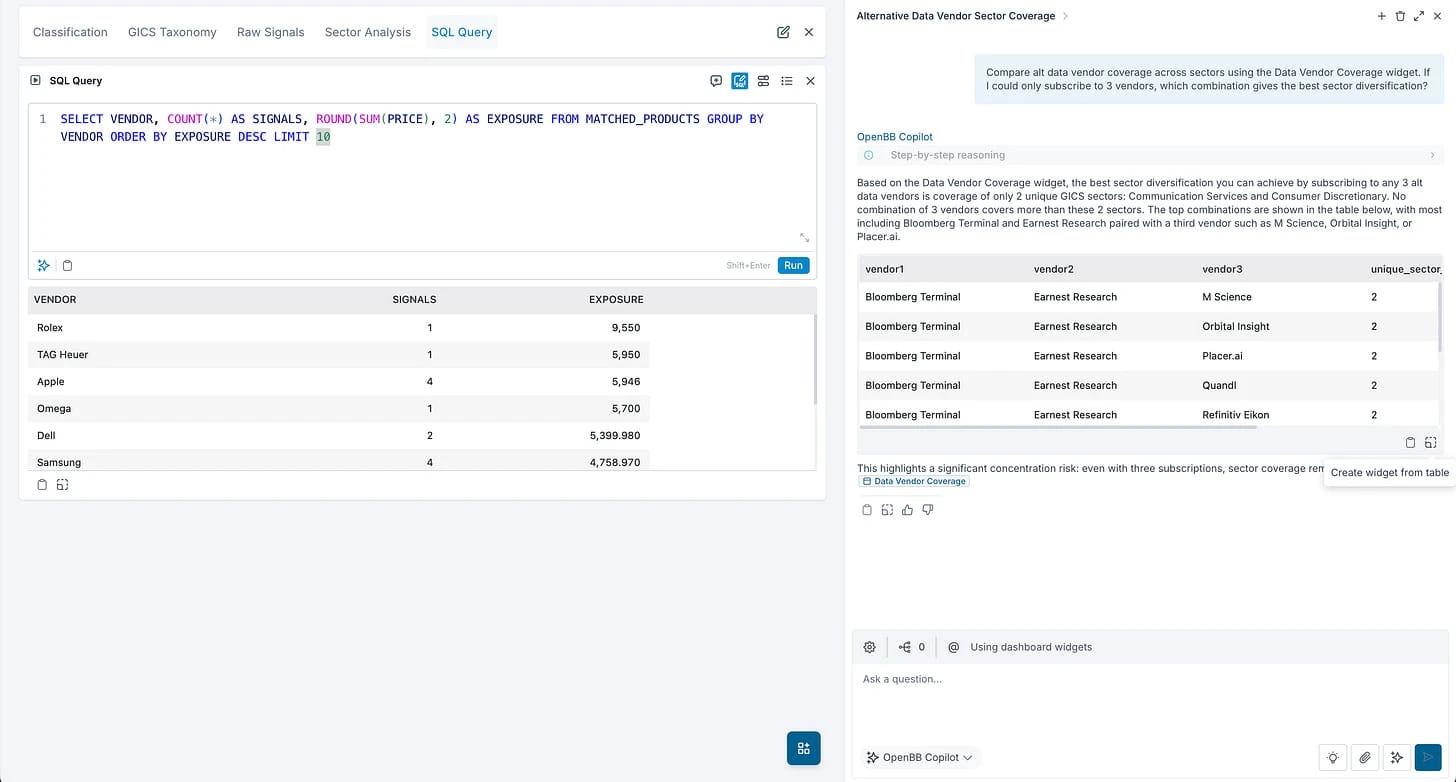
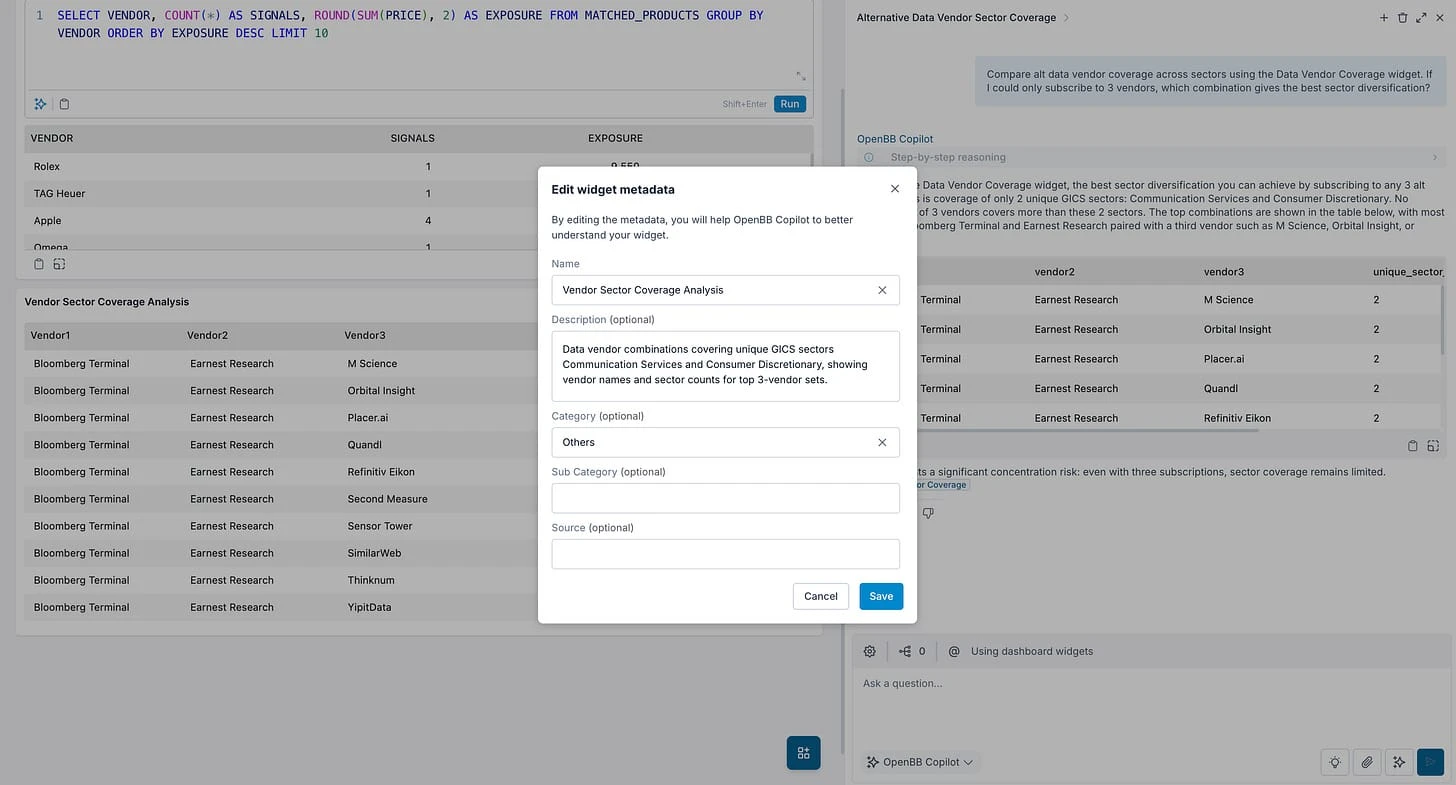
And not just that, but the same way we think of developers adding widgets (i.e. data) to the dashboard, we believe the same for agents (i.e. intelligence). So you can integrate your own agents for specific workflows and build everything our default agent allows you to do - everything from having your own reasoning steps, parsing user feedback (thumbs up/down), citations, changing parameters of a widget, adding widget to dashboards on the fly, having custom features (e.g. deep research or web search), handling skills, working with files dropped by the user, connecting with MCP tools, etc...
Here are some examples: https://github.com/OpenBB-finance/agents-for-openbb
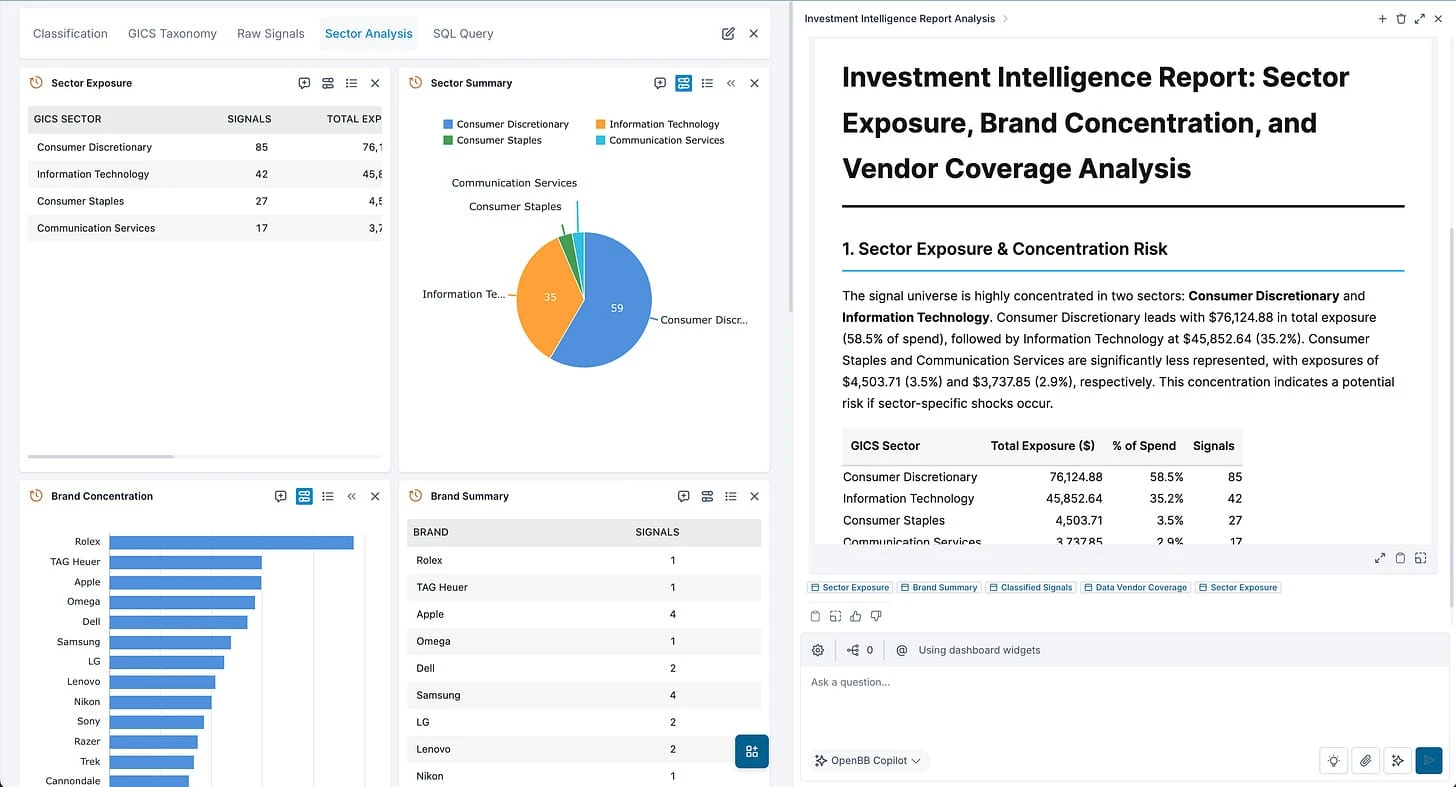
But you can also set default prompts based on the app you are opening to improve UI/UX to the end user. And you can also go full screen and just get work done with the AI agent - grounded with the underlying dashboard data.
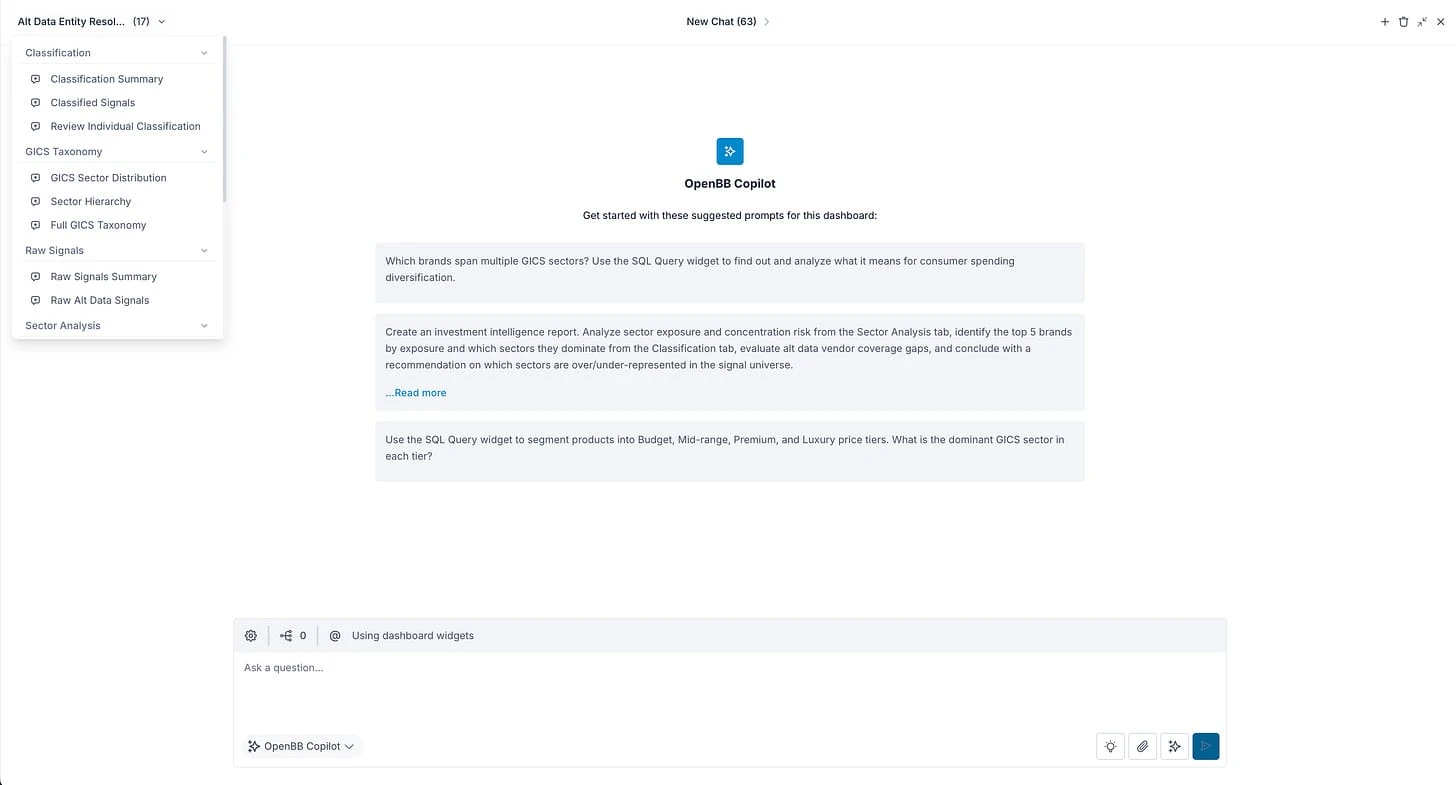
I hope this makes it clear the value of the AI infrastructure we have built.
You can find more on our docs here: https://docs.openbb.co/workspace/analysts/ai-features/copilot-basics
15. Language agnostic
OH.
And I almost forgot.
Apps built on OpenBB do not need to be Python, they can be any language.
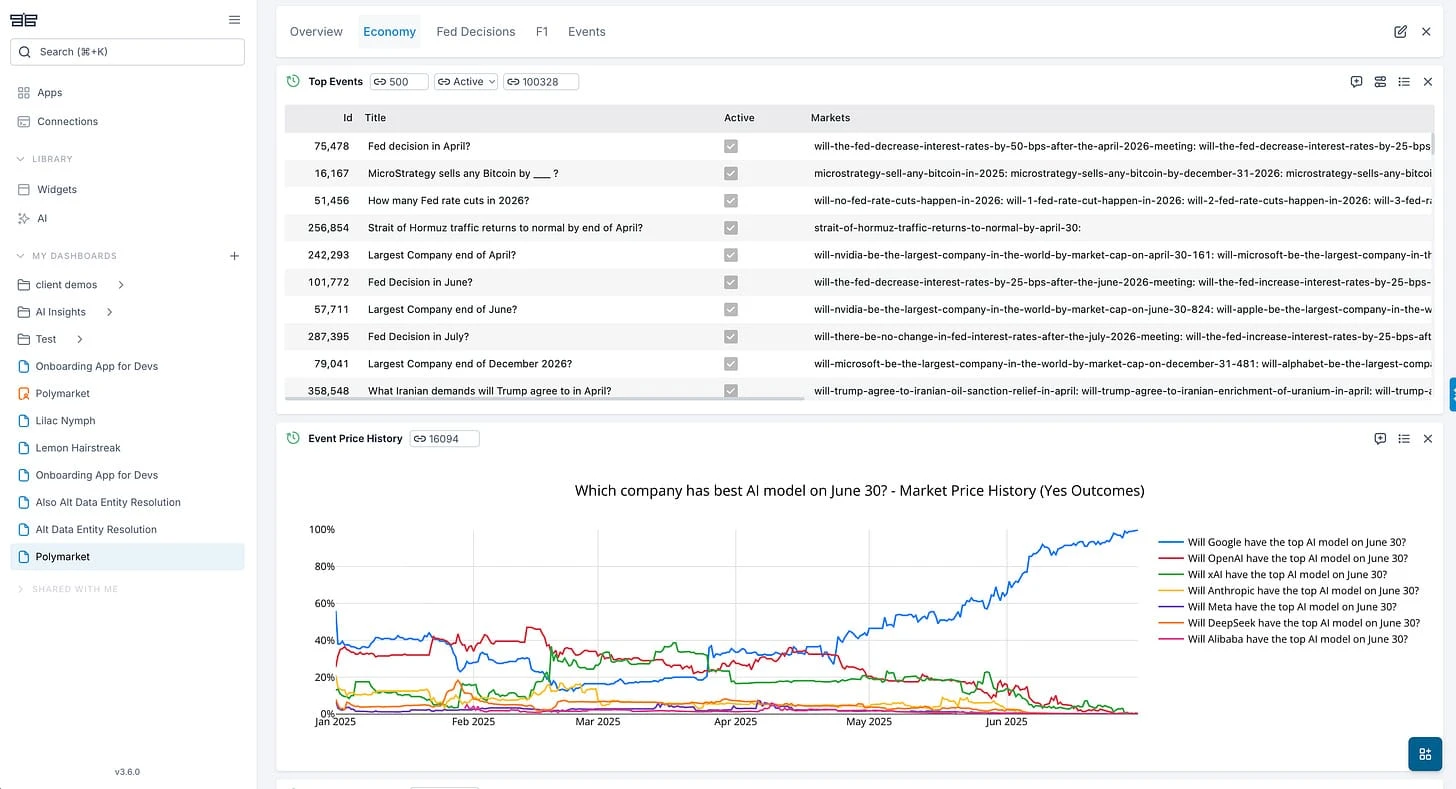
Here's an example of a Polymarket app written in TypeScript.
And here are some open source apps by the community.
Final thoughts
I thought this was going to be a short post on why I took a Streamlit app and transformed it into OpenBB, but I just kept digging...
I hope this gives you a view on why we like to describe OpenBB app is a production-version of what a Streamlit app is.
And also why you can't vibe code a workspace in a weekend.