I built an AI Agent that builds OpenBB Apps, from inside OpenBB
Software that builds itself over time is closer than you think.
I've been building OpenBB apps for a while now.
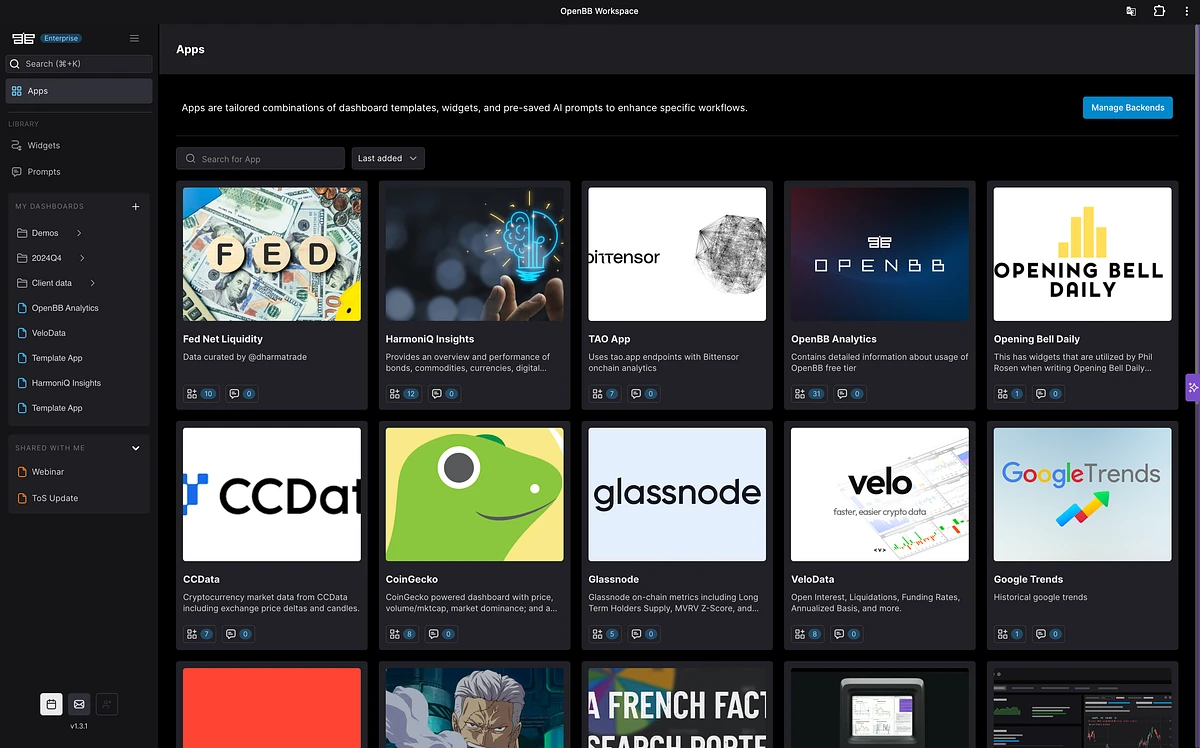
At the start, it took quite a bit of time to put these together. Then, I started this library of all different types of widgets that could exist, think of it like lego blocks. I did it so that then I could grab the lego blocks I wanted and create the perfect new set.
I did it for myself initially, but others found value in it so I made it open source.
This would allow me to share this reference backend to users that would ask "how do I do this specific widget?" or "how do I configure that one?".
It grew into quite a lot of different widgets, configurations (stale time, refetch intervals), input parameters (dropdown, grouping, multi-select text), charts (Plotly, Highcharts, AgGrid), etc.. and you can find it all here.
From reference backend to AI skill
With the improvements in AI agents, I was able to ask an agent to build me an app using a reference folder as a guide for composing the dashboard. The results were pretty good. The main issues were latency and tokens. It spent a lot of tokens processing the entire reference folder each time, which made it slow. On top of that, it didn't fully understand references like widgets.json or apps.json, so it required a more detailed user prompt. That was fine for me, but for people just getting started with OpenBB, it wasn't super intuitive.
When skills became a thing, I realized I could go further than just providing the reference backend, I could encode the methodology itself.
So I created an app builder skill with a full pipeline based on how I actually build these apps:
- Interview - understand what needs to be built
- Widget Design - define the widgets
- Layout - the CLI provides an ASCII representation of what the dashboard will look like
- Plan Generation - create the build plan
- Build - write the code
- Validation - test against the apps.json and widgets.json specs to verify they're correctly written
- Test - use the Chrome extension from Claude Code to visually analyze whether the app renders correctly in OpenBB
That last step was the key, it closed the feedback loop. The agent could actually see what it built and verify it worked.
I made this available through skills.sh so anyone could install it.
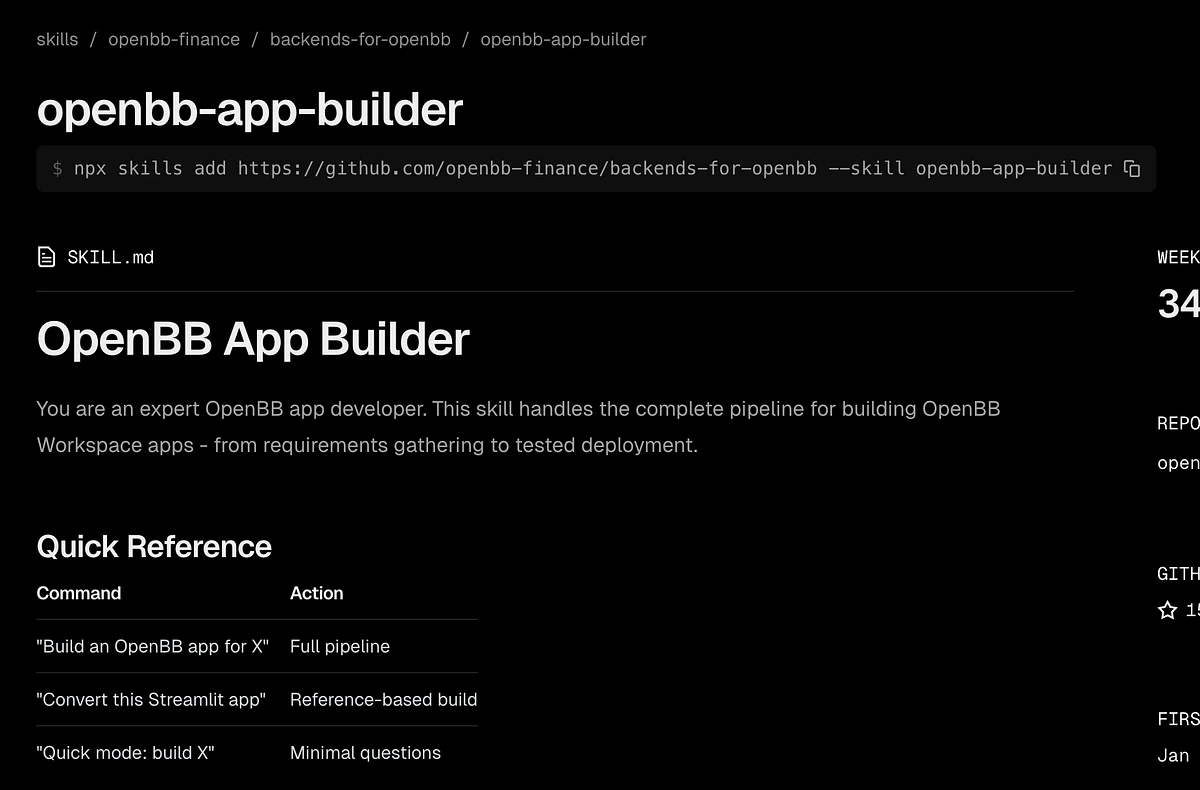
And it worked great. But all of this still happened outside of the workspace, which was unavoidable given that the app was running locally.

Bringing it inside the workspace
I knew I could connect an app that I build locally and spin with FastAPI into the workspace easily. And I also knew that with our agent integration framework it was easy to build a custom agent for the workspace.
So the only question remaining was:
Can I build an agent that spawns a Claude Code session that can build the backend (locally for now, but this would validate it being able to do it in any machine) and connect that very same backend to the workspace.
And it turns out it can, I open sourced it here.
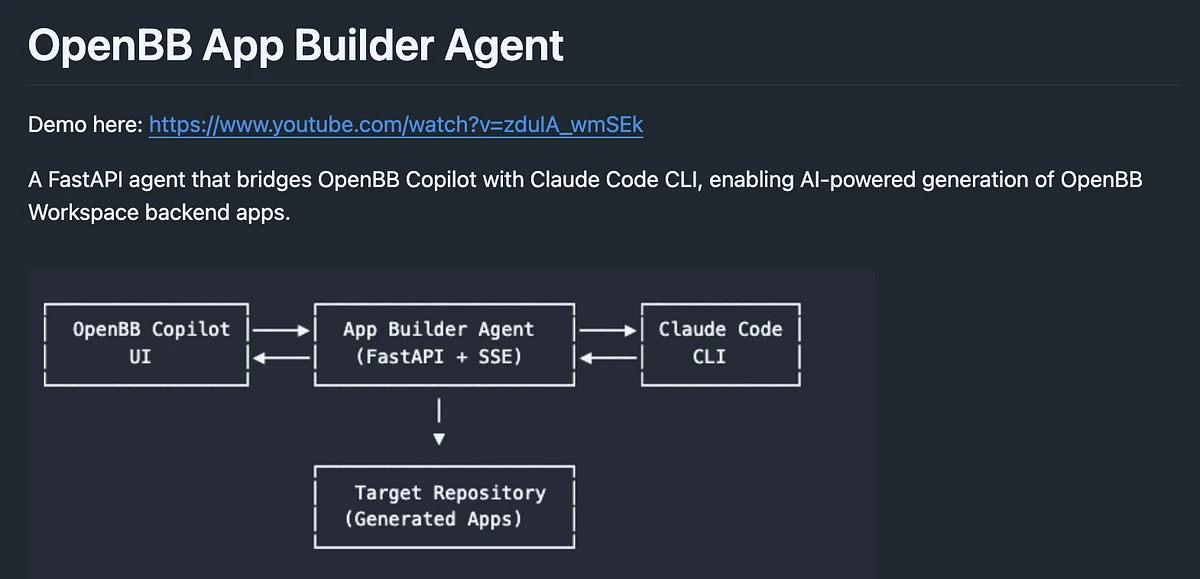
I set up this custom agent called the OpenBB App Builder Agent (from here), opened a new dashboard, and used the following prompt:
Let's create an OpenBB App that has 3 widgets for Financial Data. The widgets are income statement, cashflow, balance sheet and they should come from https://docs.financialdatasets.ai/api/financials/income-statements.
I want the widgets to be grouped together by their ticker, and the group can be Group 1. And default the value to "NVDA".
The API key we are going to use for this is "DIDIERYOLO". For the thumbnail of the app use an image that you decide for financial data.
Here's an example of how to get the API key for the financial data:
That's it. Hands off.
Using Financial Datasets as a data source made things simpler since it allows experimenting without an API key for the most common tickers like NVDA, TSLA, or AAPL. So it's perfect for demos.
The agent starts a session, reads the reference backend files, fetches the API documentation, and starts building.
It takes a few minutes.
Then Claude Code takes control of the browser. You can see the orange border around the screen as it navigates: clicking "Connect Backend" entering the localhost URL, selecting the app.
And then... it works.
Three widgets, grouped by ticker, pulling live data from Financial Datasets. Income statements, cash flow, balance sheet - exactly what I asked for. I switch the ticker to Tesla. I switch to quarterly results. I add a bar chart. All working.
One prompt.
Then I was so mind blown by the result that I stepped away from the laptop. Only to remember that I forgot to ask about the code that was used to generate the app.
But no problem - because I built my custom agent so it would remember its session-id and could carry on previous conversations.
And then it output the code it used to create the dashboard. The same dashboard that I was looking at, and it was already running locally.
Incredible.
You can see it all in action in this video:
The loop
This is quite weird for me because the financial software (via custom agent) is basically building new apps on its own, without touching/seeing the workspace code.
And the resulting application, gets to leverage all the enterprise features:
- Single sign-on
- Role-based access controls
- Sharing dashboards
- Branding
- Logs
- ...
And it works where all your data is.
So basically you have software that generates, fixes and improves itself - particularly when it's an API-first product like ours, where data comes in via API and we're focused on being the infrastructure and interface layer.
An agent that builds OpenBB apps within OpenBB.
That's the loop.